
Voicely 2.0
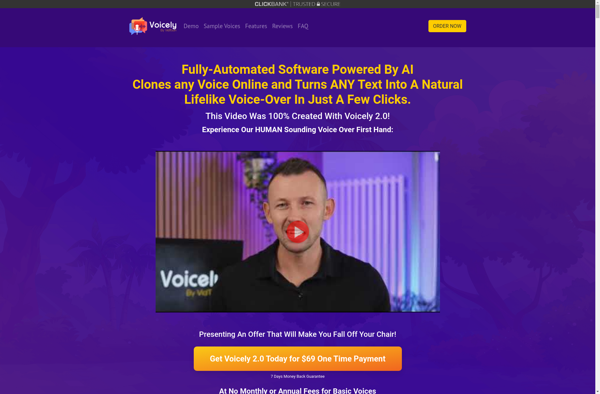
Voicely 2.0: Text-to-Speech Software with Over 100 Voices
Convert text into natural sounding audio voices with Voicely 2.0, featuring over 100 built-in voices in 50+ languages and accents
What is Voicely 2.0?
Voicely 2.0 is an advanced text-to-speech software used to convert text into human-like audio voices. It is designed to generate lifelike speech for a wide range of use cases such as audiobooks, podcasts, educational materials, accessibility tools and more.
This software comes equipped with over 100 built-in voices spanning across 50 languages and a variety of accents. These high-quality voices are powered by deep learning technology to deliver natural sounding speech that mimics human intonation and emotion.
Some key features of Voicely 2.0 include:
- Over 100 built-in voices with support for 50+ languages
- Neural and standard voices for natural sounding speech
- Customizable voice speed, pitch, intonations
- 48 kHz studio-quality audio output
- SSML support for advanced speech control
- Bulk text-to-speech conversion
- Integration with popular software like Microsoft Word, PowerPoint, Google Docs etc.
- APIs available for expanding capabilities
Voicely 2.0 allows individuals and businesses to create professional human-like audio content at scale for eLearning courses, videos, prototypes and more. Its customizability and language support makes it suitable for global and diverse use cases.
Voicely 2.0 Features
Features
- Text-to-speech conversion
- Over 100 built-in voices
- 50+ languages and accents
- Natural sounding voices
- Customizable voice speed and pitch
- Reads text aloud
- Creates MP3 files
- Integrates with other applications
Pricing
- Free
- Subscription-Based
Pros
Cons
Official Links
Reviews & Ratings
Login to ReviewThe Best Voicely 2.0 Alternatives
View all Voicely 2.0 alternatives with detailed comparison →
Top Ai Tools & Services and Text-To-Speech and other similar apps like Voicely 2.0
No alternatives found for Voicely 2.0. Why not suggest an alternative?







