YAMB is an open-source yet another mail bounce handler. It is a software designed to process bounced emails and handle them appropriately by parsing the content to extract useful information. YAMB aims to simplify email bounce management.
An open-source software for processing bounced emails and extracting useful information, simplifying email bounce management.
What is YAMB?
YAMB (Yet Another Mail Bounce Handler) is an open source software application designed specifically for processing bounced emails. It functions by automatically parsing bounced messages to extract key details such as the original recipient address, bounce type, error codes, etc. This data can then be used to keep mailing lists clean and up-to-date.
Some key features of YAMB include:
Automated parsing and classification of bounce types
Extraction of original recipient addresses from bounce messages
Support for major bounce error codes and formats
Options for address tagging, blocking, removal based on bounce history
Detailed logging and reporting capabilities
As an open source mail bounce handler, YAMB provides a customizable platform for efficiently managing hard and soft email bounces. The automated processing helps reduce the manual overhead of analyzing bounce backs. YAMB's capabilities make it a useful tool for anyone sending emails through mailing lists or newsletters. It works well with most SMTP/mail servers and fits into existing email infrastructure with minimal setup.
YAMB Features
Features
Open-source software
Processes bounced emails
Extracts useful information from bounce messages
Simplifies email bounce management
Supports various email providers and protocols
Configurable bounce handling rules
Logging and reporting capabilities
Pricing
Open Source
Pros
Open-source and free to use
Customizable to fit specific email bounce management needs
Reduces manual effort in handling bounced emails
Provides detailed insights into email bounce patterns
Integrates with various email platforms and services
Cons
Requires technical expertise to set up and configure
Limited support and documentation compared to commercial solutions
May not have the same level of features and reliability as paid alternatives
Bink Video is a proprietary video compression format and codec developed by Rad Game Tools. It is designed to deliver high quality, small file size video for games, animations, and other applications where storage space and bandwidth are at a premium.Some key features of Bink Video include:Highly optimized codecs for...
Avidemux is a free and open-source video editing software application designed for simple cutting, filtering and encoding tasks. It supports a wide range of video, audio and subtitle formats making it useful for basic editing work.Some key features of Avidemux include:Cross-platform support for Windows, MacOS and LinuxCapable of basic editing...
XMedia Recode is a powerful yet easy-to-use video transcoding application for Windows. It allows users to convert their video files into various formats with custom encoding profiles and settings.Some key features include:Intuitive user interface for basic video conversion needsAdvanced setting options for experienced usersSupport for all major video and audio...
Subler is a free and open-source application for macOS that allows users to edit metadata, subtitles, and chapters in MP4 and M4V video files. It provides a user-friendly graphical interface to make modifications that are difficult or inconvenient to do manually.Some of the key features of Subler include:Add, edit, or...
MkvToMp4 is a free and open-source video conversion utility that provides an easy way to convert Matroska or MKV video files to MP4 format. It can run on Windows, macOS, and Linux platforms.Some of the key features of MkvToMp4 include:Intuitive graphical interface for batch converting MKV videosPreserves all video, audio,...
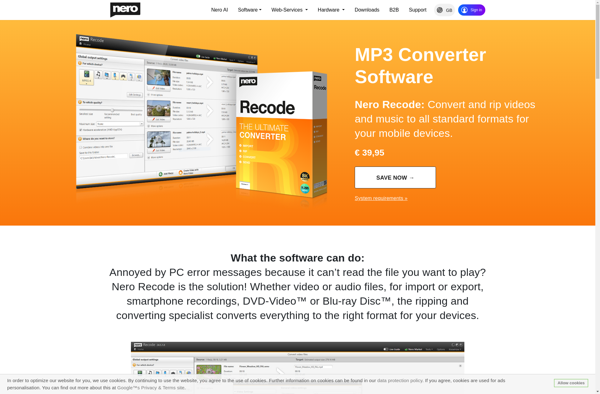
Nero Recode is a versatile DVD ripping and video conversion application that is part of the Nero multimedia suite. It provides users with a comprehensive set of tools to back up their DVD movie collections and convert video files into a wide range of formats.Some of the key features of...
MY MP4BOX GUI is a free, open source graphical user interface application for the MP4Box multimedia packaging tool. It provides an easy way to create, edit, inspect, and manipulate MP4 files without needing to work directly with the MP4Box command line interface.Some key features of MY MP4BOX GUI include:Intuitive graphical...
MKV/AVI to MP4 conversion software allows you to convert video files that use the Matroska (MKV) or Audio Video Interleave (AVI) container formats into the more widely compatible MP4 format. MP4 has broader device support and is necessary for playback on platforms like iOS or for uploading to sites like...
Avconv is a free, open-source command-line utility for converting video and audio files between formats. It is a fork of the popular FFmpeg project that was created in 2011 due to licensing disagreements. Avconv provides similar functionality and format support as FFmpeg.Some key features and capabilities of avconv include:Supports a...
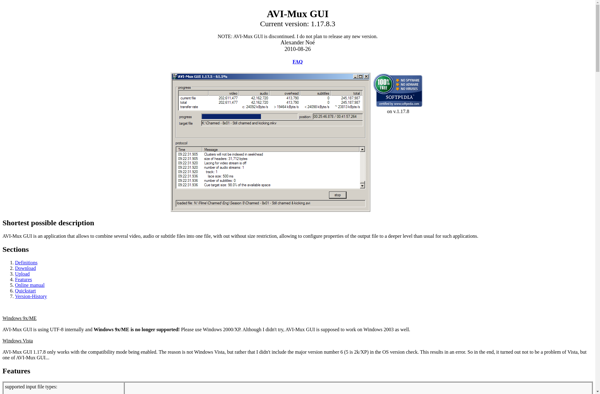
AVI-Mux GUI is a free and open-source video editing software for Windows. It provides an easy-to-use graphical interface for joining, splitting, and editing video and audio files without re-encoding. AVI-Mux GUI supports a wide range of video formats including AVI, MKV, MP4, FLV and more.Some of the key features of...