CEmu is an emulator for the TI 84+ CE graphing calculator that allows you to use TI 84+ CE programs and games on your computer. It accurately emulates the keypad, screen, and functionality of the TI 84+ CE.
CEmu TI 84+ CE Emulator: Run TI 84+ CE Programs on Your Computer
CEmu is an emulator for the TI 84+ CE graphing calculator that allows you to use TI 84+ CE programs and games on your computer. It accurately emulates the keypad, screen, and functionality of the TI 84+ CE.
What is CEmu TI 84+ CE Emulator?
CEmu is a free, open-source emulator for the TI 84 Plus CE graphing calculator. It allows you to run TI 84+ CE games, programs, and apps on your Windows, Mac, or Linux computer without needing an actual TI 84+ CE calculator.
CEmu accurately replicates the experience of using a physical TI 84+ CE calculator. It emulates the keypad, screen, I/O ports, and all other hardware functionality. This allows you to run any TI-84 Plus CE games, programs, and apps from places like ticalc.org.
Some key features of CEmu include:
Accurately emulates the TI 84 Plus CE keypad, LCD screen, I/O ports, RAM, Flash ROM, and other hardware
Supports running all TI-84 Plus CE games, applications, and programs
Supports exporting the emulator state and saved files
Saves screenshots of the emulated calculator screen
Open-source project written in C++ using Qt
CEmu makes an excellent replacement for an actual TI 84+ CE calculator for most purposes other than high-stakes testing. It can save you money while giving you access to thousands of free TI-84 Plus CE games and programs to enrich math and science learning.
CEmu TI 84+ CE Emulator Features
Features
Accurately emulates the TI-84 Plus CE calculator
Supports running most TI-84 Plus CE games and programs
Customizable keypad, screen, and theme options
Save and load calculator states
Export screenshots
Developer tools
Pricing
Open Source
Pros
Free and open source
Works on Windows, Mac, and Linux
Active development and updates
Large community support
Allows using TI-84 Plus CE programs without buying the calculator
Cons
Limited support for some TI-84 Plus CE features
Can have performance issues on some systems
Interface differs slightly from real calculator
Requires BIOS file from real calculator to work fully
Virtual TI is a powerful, free graphing calculator emulator designed to provide the same functionality and user experience as expensive Texas Instruments handheld devices. It accurately replicates the TI-83, TI-84 Plus, and TI-89 calculators for Windows, Linux, and macOS systems.With its simple, familiar interface, Virtual TI makes an excellent tool...
GraphNCalc83 is an easy-to-use graphing calculator and mathematical analysis software. It provides basic graphing, calculation, and data analysis tools for math and science students, teachers, and professionals.Key features include:Intuitive graphing interface to plot various 2D and 3D graph types like line, bar, pie, scatter, surface, etc.Large library of math and...
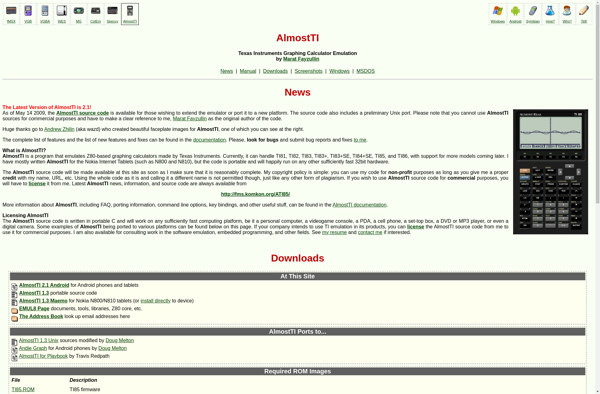
AlmostTI is an open-source and cross-platform alternative to Texas Instruments graphing calculators and software. It emulates the functionality of popular TI calculators like the TI-83, TI-84 Plus, and TI-Nspire families and allows users to run TI programs and games on their computers.Some key features of AlmostTI include:Emulates the hardware and...
WabbitEmu is an open-source, cross-platform graphing calculator emulator that emulates Texas Instruments graphing calculators like the TI-73, TI-83 Plus, TI-84 Plus, and TI-89. It allows users to run calculator games, programs, and applications on their computer without needing an actual graphing calculator.Some key features of WabbitEmu include: Faithful emulation of...
TI Connect is a software application developed and published by Texas Instruments for use with their graphing calculators. It serves as a connectivity suite between TI graphing calculators and computers running Windows or MacOS.Some of the key features of TI Connect include:Transferring files like programs, lists, variables, matrices etc. between...
TI-SmartView is a free software program developed by Texas Instruments for use with their graphing calculators. It allows users to emulate a TI graphing calculator on their computer screen and interact with it using their mouse and keyboard.Some of the key features of TI-SmartView include:Viewing and interacting with the calculator...
TI Connect CE is a free software application from Texas Instruments designed for use with their graphing calculators. It provides connectivity between TI graphing calculators like the TI-84 Plus series and a computer running Windows or Mac OS.With TI Connect CE, users can easily update the firmware on compatible TI...