CheatKeys
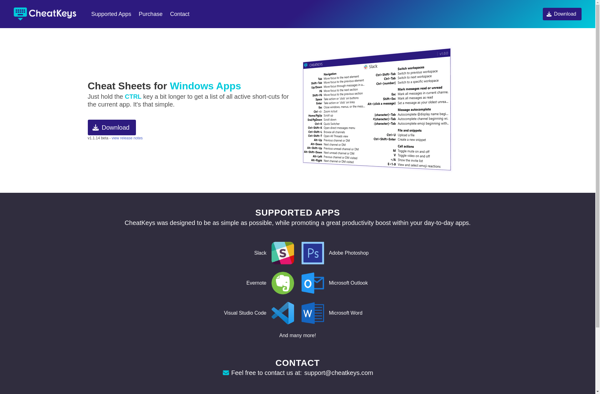
CheatKeys: Lightweight Keyboard Shortcut Creator
A software program allowing users to create custom keyboard shortcuts and hotkeys for automating tasks and boosting productivity across multiple applications.
What is CheatKeys?
CheatKeys is a user-friendly hotkey manager and keyboard shortcut utility for Windows. It enables users to set custom keyboard shortcuts to automate repetitive tasks, launch applications and websites faster, and work more efficiently.
With an intuitive interface, CheatKeys makes it simple to create application-specific shortcuts, text macros, auto-text snippets, and more. Users can set global hotkeys, build shortcut sequences, integrate files and folders, and even launch scripts using hotkey triggers. Advanced customization options provide flexibility to tailor workflows.
As a portable lightweight software without installs, CheatKeys is easy to set up within minutes. It runs quietly in the background with negligible system resource usage. The software allows exporting and importing hotkey profiles to reuse shortcuts or sync them across devices.
CheatKeys works seamlessly with most Windows applications and web browsers. Whether compiling reports, filling out forms, coding, or any other repetitive computer tasks, the software helps save time and effort. For power users and productivity enthusiasts looking to optimize their workflows, CheatKeys is an invaluable tool.
CheatKeys Features
Features
- Create custom keyboard shortcuts and hotkeys
- Automate repetitive tasks
- Works across multiple applications
- Streamline workflows
- Lightweight and minimalist design
Pricing
- Free
- Freemium
Pros
Cons
Official Links
Reviews & Ratings
Login to ReviewThe Best CheatKeys Alternatives
View all CheatKeys alternatives with detailed comparison →
Top Productivity and Keyboard Shortcuts and other similar apps like CheatKeys
Here are some alternatives to CheatKeys:
Suggest an alternative ❐
CheatSheet

Hotkey Commander

Ethervane ActiveHotkeys

Cheat.sh


Hotkey EVE

KeyCue