CheatSheet
CheatSheet: Free Open-Source Markdown Editor
A simple and intuitive Markdown editor for Windows, Mac, and Linux with live previews and easy exporting to HTML and PDF formats.
What is CheatSheet?
CheatSheet is a free and open-source Markdown editor available for Windows, Mac and Linux operating systems. It provides a clean and simple interface for writing Markdown documents with live previews and easy exporting options.
Some key features of CheatSheet include:
- Live previews - See your formatted Markdown in real-time as you type.
- Custom CSS - Style your Markdown with custom CSS for printing or exports.
- Syntax highlighting - Code blocks are highlighted for over 100 languages.
- Export to HTML and PDF - Convert to rich HTML websites or printable PDF documents with one click.
- Spell checking - Real-time spell checking protects you from typos.
- Word count - View word, character and reading time counts.
- Offline capable - Your Markdown is saved locally for reliability.
- Free and open-source - CheatSheet is gratis and released under the MIT License.
With an intuitive and distraction-free writing environment, CheatSheet provides the essential features needed for writing in Markdown without the bulk of traditional word processors. It's perfect for students, authors, bloggers and technical writers who work with text frequently.
CheatSheet Features
Features
- Markdown editor
- Live preview
- Export to HTML and PDF
- Syntax highlighting
- Custom CSS styling
- Dark and light themes
- Keyboard shortcuts
- Word count
- Spell checking
Pricing
- Open Source
Pros
Cons
Official Links
Reviews & Ratings
Login to ReviewThe Best CheatSheet Alternatives
View all CheatSheet alternatives with detailed comparison →
Top Office & Productivity and Writing & Editing and other similar apps like CheatSheet
Here are some alternatives to CheatSheet:
Suggest an alternative ❐
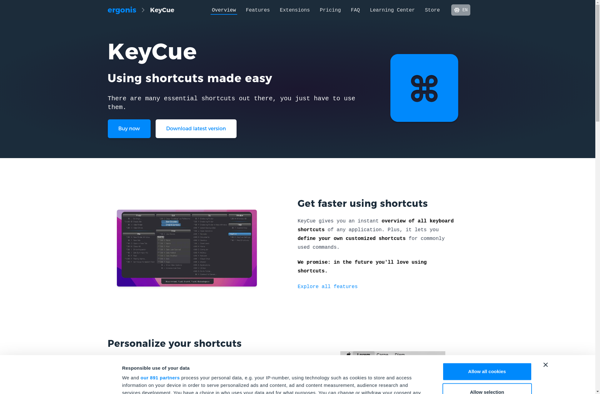
CheatKeys
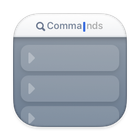
Paletro

Ethervane ActiveHotkeys
Cheat.sh


KeyCue