
Easy 7-Zip

Easy 7-Zip: Free File Archiver with Support for Multiple Formats
A free file archiver that supports various formats, Easy 7-Zip provides a simple graphical interface for beginners and advanced users alike.
What is Easy 7-Zip?
Easy 7-Zip is a free, open source file archiver for Windows that makes working with compressed file formats simple and easy. It supports all popular compression formats including 7z, ZIP, RAR, ARJ, GZIP, BZIP2, TAR, CPIO, RPM and ISO.
The program provides an intuitive graphical user interface that allows you to easily create, open and modify compressed archives without going through complex menus and configuration options. Both basic and more advanced features are accessible, making Easy 7-Zip suitable for beginners and power users alike.
Some of the key features include drag and drop support, integration with the Windows context menu for right-click archiving and extraction, password protection for archives, splitting of large archives into smaller volumes, and support for multi-core CPUs to accelerate compression and decompression speeds.
Overall, Easy 7-Zip combines an easy-to-use interface with broad format support and performance tuning options into a capable free file archiving solution for Windows. It makes working with ZIP, 7z and many other compressed file types simple while still providing more advanced tools for those who need them.
Easy 7-Zip Features
Features
- Graphical user interface for easy use
- Support for 7z, ZIP, RAR, ARJ, GZIP, BZIP2, TAR, CPIO, RPM, ISO file formats
- File compression and decompression
- File encryption
- File splitting
- Context menu integration for Windows Explorer
- Drag and drop support
- Command line interface
Pricing
- Free
Pros
Cons
Official Links
Reviews & Ratings
Login to Review5 reviews
Rating Breakdown
Recent Reviews
Skyler Hall
Apr 25, 2026Not as 'Easy' as Advertised
Even as someone familiar with basic file management, I found Easy 7-Zip's interface confusing and outdated. The 'simple' graphical interface felt clunky, and I encountered a few extraction errors with standard ZIP files that other free programs handle flawlessly. For …
Oliver Davis
Apr 21, 2026Clunky and Buggy Despite Claims of Ease
Even for a free tool, Easy 7-Zip is a letdown. The interface is clunky and unintuitive, and I've had multiple crashes when trying to create or open simple archives. It feels like a poorly wrapped version of the excellent 7-Zip …
Liam Lee
Mar 18, 2026Not So Easy After All
I was excited for a simpler alternative to WinRAR, but the UI is unintuitive and feels outdated. Extracting RAR files often fails with cryptic errors, and the compression settings are confusing despite the 'easy' name. For a free tool, it's …
Phoenix Harris
Mar 14, 2026Finally, a Simple Archive Tool That Just Works
As someone who's always struggled with the clunky settings in other archive tools, Easy 7-Zip has been a breath of fresh air. The interface is clean and intuitive—I could compress a folder into a ZIP file on my first try …
Liam Lopez
Mar 11, 2026Clunky and Cluttered: More Hassle Than It's Worth
I tried Easy 7-Zip hoping for a simple, free file archiver. While it technically works for basic zipping and unzipping, the interface is a cluttered mess and feels outdated. For a program designed for beginners, the advanced options are confusingly …
Rating Distribution
The Best Easy 7-Zip Alternatives
View all Easy 7-Zip alternatives with detailed comparison →
Top File Management and Compression and other similar apps like Easy 7-Zip

7-Zip


WinZip


PeaZip


IZArc


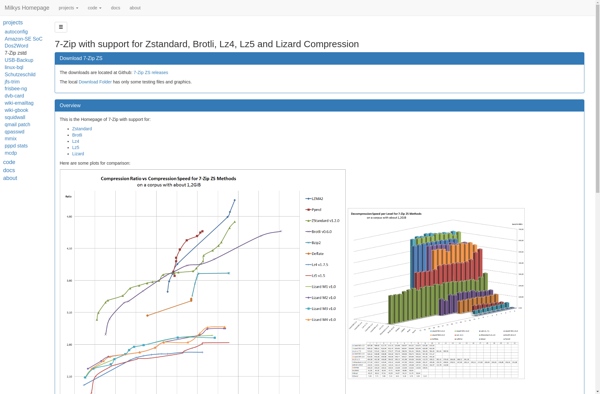
7-Zip ZS

Engrampa


PKZIP


TC4Shell

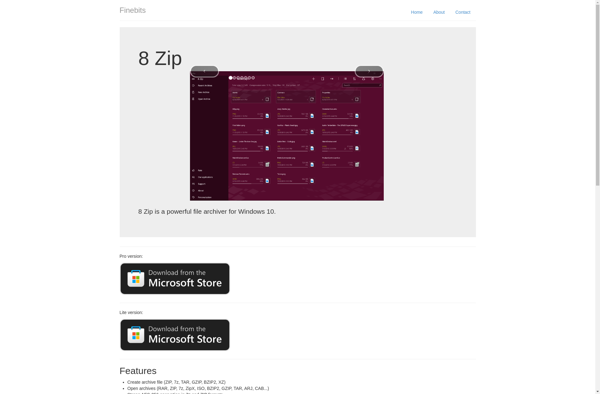
8 Zip

Bandizip


Explzh for Windows

WinRAR


Google drive open source ZIP EXTRACTOR