FotoFlexer is a free online photo editor that allows users to edit photos, apply filters and effects, morph images, create collages, add text, frames and stickers. It has an easy-to-use interface and doesn't require an account to use.
FotoFlexer allows users to edit photos, apply filters and effects, morph images, create collages, add text, frames and stickers with an easy-to-use interface that doesn't require an account.
What is FotoFlexer?
FotoFlexer is a free online photo editing application that allows users to easily edit their photos without needing to download any software or create an account. Some of the key features of FotoFlexer include:
Applying filters and effects like black and white, sepia, Gaussian blur, vignette, and more
Morphing and warping images to reshape faces, objects, etc.
Adding text, stickers, borders, and other overlays
Creating photo collages with different layouts
Cropping, resizing, and rotating images
Adjusting color, brightness, contrast, saturation, etc.
Removing redeye and blemishes
Blending photos together
Adding custom borders and frames
Drawing on images using a variety of brushes
Undo and redo to easily fix mistakes
FotoFlexer works completely in the browser using HTML5 technology. This means no software downloads or browser plug-ins are required. The interface is intuitive enough for casual users but also includes more advanced editing options for power users. Overall, FotoFlexer is a versatile free photo editor great for quick everyday edits all the way up to creating beautiful works of photo art.
Adobe Photoshop stands as the unrivaled powerhouse in the realm of image editing and manipulation. Widely recognized as the industry standard, Photoshop provides a comprehensive suite of tools and features that cater to the diverse needs of graphic designers, photographers, and digital artists. At its core, Photoshop offers a robust...
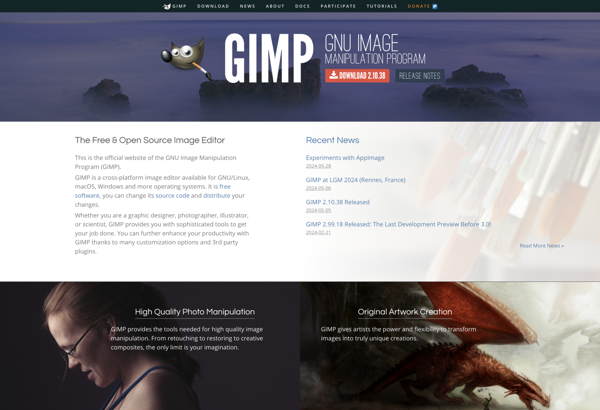
GIMP, or the GNU Image Manipulation Program, stands as a robust and freely available open-source image editing software. Serving as a compelling alternative to commercial counterparts, GIMP provides a rich set of features for photo retouching, graphic design, and digital art creation, making it accessible to users of all levels...
PicsArt is a full-featured photo and video editing application that is available on iOS, Android, and Windows devices. With over 1 billion downloads, PicsArt is one of the most popular creative platforms and social creative communities.The app provides professional-level editing tools for tweaking, altering, and enhancing photos and videos. Users...
Adobe Photoshop Elements is a raster graphics editor for photographers, image editors and hobbyists. It contains most of the features of the professional version but with fewer and simpler options targeted at novice users. Unlike the full Photoshop version, Photoshop Elements focuses more on editing, organizing and sharing images rather...
Corel PaintShop Pro is a feature-packed, yet affordable photo editing and graphic design application that caters to both amateur photographers and seasoned professionals. It comes packed with an intuitive interface, customizable workspaces, and a wide array of professional image editing tools.Some of the standout features include layers support, a large...
Photoscape is a free image editing application for Windows. It provides a range of features that allow users to view, edit, enhance, organize, print, share and even create animated gif images and slideshows.Some of the key features of Photoscape include:Image Viewer - View photos in full screen, thumbnail view, adjust...
Adobe Photoshop Express is a free photo editing app and web service offered by Adobe as part of their Creative Cloud platform. It provides a subset of Photoshop's professional-grade image editing tools optimized for mobile devices and casual photographers.Key features include:Cropping, straightening, rotating, and flipping photosAdjustments like exposure, contrast, saturation,...
Pixelmator is a popular image editing application designed exclusively for macOS. First released in 2007, Pixelmator has become a favorite among Mac users looking for a more affordable yet powerful alternative to Adobe Photoshop.Some key features of Pixelmator include:An intuitive and easy-to-use interface, making image editing accessible for novices while...
Pixlr is a free online photo editing application that runs in the browser. It provides basic to advanced photo editing capabilities without needing to download and install desktop software.Some key features of Pixlr include:Cropping and resizing imagesRotating and flippingAdjustment tools for exposure, color, hue/saturationRed eye removalBlemish and wrinkle removalDrawing tools...
Polarr is a versatile and user-friendly photo editor that can be used on various platforms. It is available as a desktop application for Windows and Mac, a mobile app for iOS and Android devices, and also as a web app that runs in any modern browser.As a free photo editing...
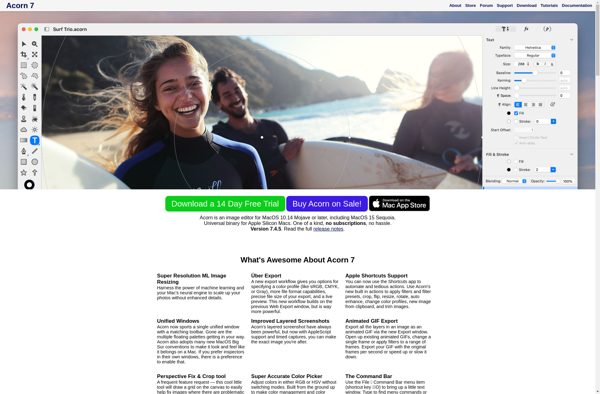
Acorn is an easy-to-use yet powerful image editor exclusively for macOS. Designed to be fast, lightweight and simple to use, Acorn makes editing images a breeze.Acorn provides all the essential tools you need for quick photo touch-ups and adjustments. With support for layered editing and non-destructive filters and adjustments, Acorn...
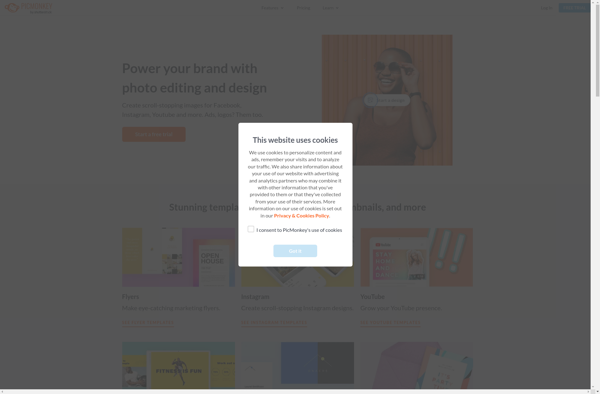
PicMonkey is an intuitive online photo editor that allows users to easily edit, touch up, collage, and add creative effects to images without needing to install any software. It is fully browser-based, meaning it can be accessed from any laptop or desktop computer through the web browser.Some of the key...