
Mr Zipper

Mr Zipper: Free File Archiver and Compressor
Mr Zipper is a free, open-source file archiver and compressor for Windows. It provides an easy-to-use interface for creating and extracting archives in common formats like ZIP, RAR, 7Z, and more.
What is Mr Zipper?
Mr Zipper is a free, open-source file archiver and compressor software for Windows. It allows users to easily create and open archives in various popular formats including ZIP, RAR, 7Z, BZ2, GZ, TAR, ISO, and more.
Some key features of Mr Zipper include:
- Intuitive and easy-to-use interface for fast file compression and decompression
- Support for password protection of archives
- Advanced compression settings for optimizing archive size
- Integration with Windows Explorer for right-click archiving and extraction
- Drag and drop support for quickly adding files to archives
- Self-extracting archive creation
- Benchmark testing to compare compression ratios across formats
- Lightweight program with low system resource usage
As an open-source tool, Mr Zipper is completely free to use with no ads, upsells, or hidden costs. It receives frequent updates from its community of developers to fix bugs and add new features. The simple interface makes it accessible for beginners while still providing customization options for power users.
Overall, Mr Zipper is an excellent free alternative to paid compression tools for Windows users looking to archive and share files easily.
Mr Zipper Features
Features
- Compresses and decompresses files in various formats like ZIP, RAR, 7Z, etc
- Supports creating password protected archives
- Allows splitting large archives into smaller volumes
- Provides file encryption and data security
- Offers drag and drop functionality for easy file management
- Has a simple and intuitive user interface
- Works on all versions of Windows
Pricing
- Open Source
Pros
Cons
Reviews & Ratings
Login to Review10 reviews
Rating Breakdown
Recent Reviews
Olivia Harris
Mar 14, 2026Not what I expected
I switched to Mr. Zipper because it was free and open-source, but it's been a frustrating experience. It often freezes when extracting large ZIP files, and I've had archives that wouldn't extract, giving vague errors. The interface is easy enough …
Morgan Thomas
Mar 11, 2026Free and Functional, but Feels a Bit Dated
Mr Zipper gets the job done for basic archiving tasks like creating ZIPs and extracting RAR files without costing a dime, which is great. However, the interface looks very outdated and clunky compared to modern alternatives, and I encountered a …
River Taylor
Mar 10, 2026A Decent Free Archiver with Some Quirks
Mr Zipper handles the basics well—creating and extracting common ZIP and RAR files is straightforward with its simple interface. However, it occasionally lags or freezes with large files, and the lack of official support makes troubleshooting frustrating when issues arise. …
Dakota Martin
Mar 10, 2026Exactly What I Needed - No Frills, No Cost
As someone who frequently needs to compress files for work and extract downloads, Mr Zipper has been a lifesaver. It's incredibly straightforward – I can right-click any folder and zip it instantly, or open any archive format I've encountered without …
Liam Lopez
Mar 09, 2026Looks Good at First Glance, But Crumbles Under Pressure
I really wanted to like Mr Zipper for its free and open-source promise, but it's been a frustrating experience. The interface is simple, but it consistently fails to open slightly complex RAR archives that other tools handle instantly, and a …
Rating Distribution
The Best Mr Zipper Alternatives
View all Mr Zipper alternatives with detailed comparison →
Top File Management and Compression and other similar apps like Mr Zipper
Here are some alternatives to Mr Zipper:
Suggest an alternative ❐
7-Zip


WinZip


PeaZip


The Unarchiver


Keka


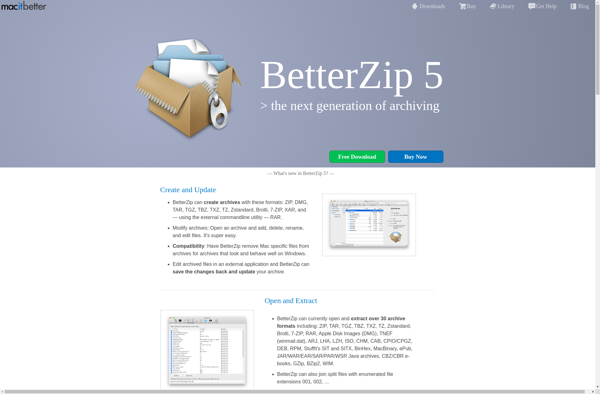
BetterZip

File Roller


FreeArc


P7zip


NanaZip


Bandizip


Xarchiver

WinRAR




