
PowerArchiver
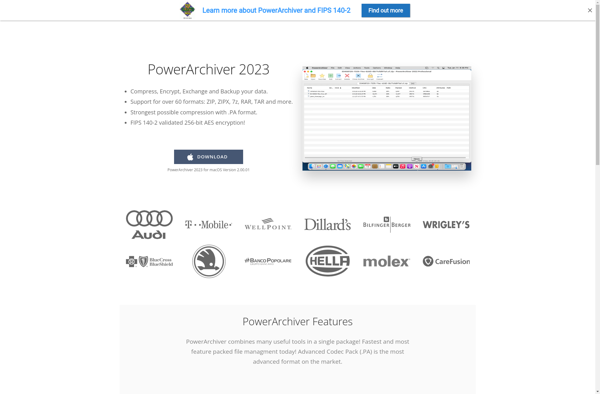
PowerArchiver: Lightweight Compression Software
PowerArchiver is a lightweight and easy-to-use compression software for Windows. It supports creating and extracting many archive formats including ZIP, 7Z, RAR, ISO, and more.
What is PowerArchiver?
PowerArchiver is a lightweight, yet full-featured compression utility for Windows that allows you to create, open, and extract a wide variety of archive formats. It supports all the most common compression types including ZIP, 7Z, RAR, ISO, and TAR among others.
Despite having extensive format support, PowerArchiver has a simple and intuitive interface that is easy to navigate. You can quickly compress or decompress files and folders by simply right-clicking and accessing PowerArchiver from the context menu. There are also extensive options available in the program preferences to customize the compression levels and archive settings.
In addition to compressed archives, PowerArchiver allows you to create disc image files like ISO that can be mounted as virtual drives. It also integrates nicely with the Windows shell to provide thumbnails and previews for archives. Overall, PowerArchiver combines an extensive feature set with an lightweight and accessible interface.
PowerArchiver Features
Features
- Compress and extract many archive formats (ZIP, 7Z, RAR, ISO, etc)
- Integration with Windows Explorer for easy access
- Lightweight and fast
- Intuitive interface
- Create self-extracting archives
- Encrypt archives for security
- Schedule tasks
- Preview files before extraction
- Drag and drop support
Pricing
- Freemium
Pros
Cons
Official Links
Reviews & Ratings
Login to Review14 reviews
Rating Breakdown
Recent Reviews
Dakota Jackson
Apr 11, 2026Solid for basic tasks, but feels dated and has some quirks
It handles all the major formats like ZIP and RAR without a problem, and the interface is straightforward for simple compression and extraction. However, the UI looks quite old and some advanced options are buried in menus. I also had …
River Taylor
Apr 11, 2026A Lightweight and Versatile Tool That Just Works
Switched to PowerArchiver after 7-Zip kept crashing on large RAR files. The interface is clean and modern, and it handles all the formats I need, especially ZIP, RAR, and the 7Z files I get from colleagues. The built-in file preview …
Quinn Johnson
Apr 11, 2026A Reliable and Feature-Packed Compression Tool
PowerArchiver has become my go-to app for handling archives after years of frustration with clunky alternatives. It's impressively lightweight yet supports every format I need, from ZIP and RAR to ISO files, without any hassle. The interface is intuitive, making …
Avery Smith
Apr 11, 2026A Buggy, Outdated Experience
For software that bills itself as lightweight, PowerArchiver feels surprisingly clunky and slow. I've had several instances where it failed to open perfectly valid RAR files that other tools handled without issue. The interface looks like it hasn't been updated …
Alex Wright
Apr 10, 2026Capable but a Bit Cluttered
PowerArchiver handles all the major formats like ZIP, RAR, and 7Z flawlessly, and its compression speed is impressive. However, the interface feels outdated and cluttered with too many toolbars and buttons, which makes it less intuitive than some modern alternatives. …
Rating Distribution
The Best PowerArchiver Alternatives
View all PowerArchiver alternatives with detailed comparison →
Top File Management and Compression and other similar apps like PowerArchiver
Here are some alternatives to PowerArchiver:
Suggest an alternative ❐
7-Zip


WinZip


PeaZip


The Unarchiver


IZArc


File Roller


FreeArc


P7zip


NanaZip


SecureZIP


WinAce


AutoUnpack


JZip


ICEOWS

Bandizip


Xarchiver


WinRAR




