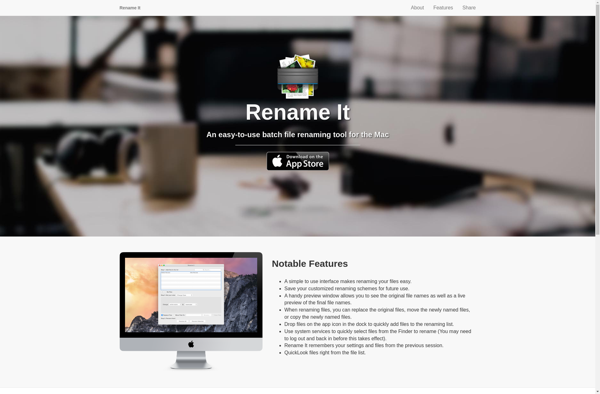
Rename It is a batch file renamer software for Windows. It allows users to easily rename multiple files and folders at once using a variety of flexible renaming options and rules. Useful for organizing photos, music, documents, and other media.
A software alternative to Windows built-in renamer, offering flexible renaming options and rules for organizing files and folders quickly.
What is Rename It?
Rename It is a powerful yet easy-to-use batch file renaming utility for Windows. It enables users to rename a large number of files and folders simultaneously, saving time and effort. With an intuitive drag-and-drop interface, users can simply select the files or folders they wish to rename and apply flexible naming rules including search and replace text, auto-numbering, case changes, adding/removing specific characters or words, trimming filenames, and more.
Key features include:
Ability to process an unlimited number of files in a single operation
Support for renaming files, folders, and subfolders in a nested structure
Advanced renaming rules using regular expressions for complex find-and-replace actions
Undo capability to revert accidentally renamed items
Automated backup of the original filenames
Customizable naming templates for adding sequence numbers, date-time stamps etc.
Portable version available requiring no installation
Rename It saves time and effort for power users who need to frequently work with a large collection of similarly named files. Photographers, music collectors, website developers, researchers, and anyone looking to organize their digital assets would benefit from its versatile set of batch renaming capabilities.
Rename It Features
Features
Batch file and folder renaming
Flexible renaming options and rules
Supports various file types (photos, music, documents, etc.)
Preview of renamed files before applying changes
Undo functionality
Supports renaming of system files and folders
Customizable file naming patterns
Automatic file numbering
Ability to insert text, date, time, and other metadata into file names
Supports regular expressions for advanced renaming
Pricing
Freemium
Pros
Easy to use interface
Powerful and flexible renaming capabilities
Supports a wide range of file types
Allows previewing of renamed files before applying changes
Undo functionality for reverting changes
Customizable file naming patterns
Cons
Limited to Windows operating system
Some features may be complex for non-technical users
Bulk Rename Utility (BRU) is a powerful yet easy-to-use program for renaming multiple files at once. With its intuitive interface, you can quickly apply various types of renaming rules including:Append or prepend textReplace, remove or insert textChange case (to uppercase, lowercase, etc.)Add sequence numbers or dates/timesAdd hashes or custom tagsStrip...
Advanced Renamer is a powerful yet easy-to-use file renaming application for Windows. It enables batch renaming of multiple files and folders instantly. Some of the key features include:Supports renaming files, folders or both togetherVarious rename methods like append/prepend text, enumerate files, replace string, regex rename, change case, add date/time and...
Ant Renamer is a free open source batch renaming software for Windows. It provides an intuitive interface to rename multiple files and folders simultaneously with powerful renaming features.With Ant Renamer you can:Rename files based on custom text, sequence numbers, date/time stamps, regex, case changes, add/remove strings etc.Process all kinds of...
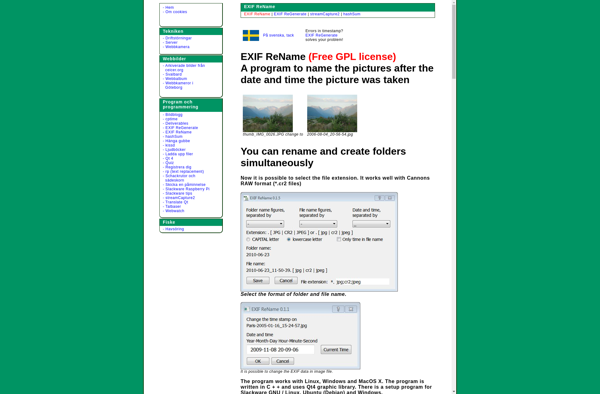
EXIF ReName is a free, open-source application for Windows that provides advanced batch renaming capabilities for image files using the metadata embedded within the images themselves. It works with common image formats like JPG, TIFF, PNG, and more.The program allows you to construct custom rename templates using any combination of...
FileRenamer is a lightweight yet powerful program for Windows that allows you to rename multiple files and folders quickly and easily. It has an intuitive interface with various options for renaming such as:Add/remove text or numbersIncrementing counters or enumerationChange case (uppercase/lowercase)Insert date and timeReplace specific characters or textRegular expressionsAnd more...Some...
Rename Master is a powerful yet easy-to-use batch file renaming utility for Windows. It enables you to rename a large number of files and folders simultaneously according to customizable renaming methods and filename formats.Key features include:Renaming files using custom templates with tokensRegular expression support for advanced find/replace operationsUndo capability to...
Flexible Renamer is a handy and intuitive piece of software for renaming multiple files at once. With an easy-to-use interface, it allows you to perform various batch renaming jobs like:Find and replace text in filenamesAutomatically number file sequencesAdd/remove prefixes and/or suffixesChange case - make filenames uppercase, lowercase, titlecase, etc.Trim filenames...
KRename is an open-source batch file renaming application for Linux and UNIX-like operating systems. It provides an intuitive graphical interface that allows users to easily rename multiple files and folders simultaneously.Some of the key features of KRename include:Support for regular expressions, making it easy to match and replace file name...
Simplest File Renamer is a lightweight yet powerful program for bulk renaming files and folders in Windows. Despite the simple and intuitive interface, it packs extensive features for performing advanced renaming operations.To use it, simply select the files or folder you want to rename, choose one of the preset naming...