ScreenSquid
ScreenSquid is a screen recording and screenshot tool that allows users to easily capture images and videos of their screen. It has built-in editing tools, allows annotations, and makes it simple to share screenshots and recordings.
ScreenSquid: Screen Recording & Screenshot Tool
Capture images and videos of your screen with built-in editing tools, annotations, and easy sharing features.
What is ScreenSquid?
ScreenSquid is a powerful yet easy-to-use screen recording and screenshot software. It enables users to capture images, animated gifs, and videos of anything on their display and share them with others easily. Some key features include:
- Quick and simple interface for quickly recording screencasts or taking screenshots with one click
- Built-in annotation tools for adding markers, text, and shapes to screencasts and screenshots
- Webcam picture-in-picture video for overlaying your webcam feed on the screen recording
- Video editing tools for trimming, cropping, adding intro and end screens to screen recordings
- Sharing options that allow uploading directly to social media and learning management systems like Google Classroom and Canvas
- Chrome extension that allows taking screenshots or animated gifs of specific sections of browser pages
- Overall, ScreenSquid is an easy way for teachers, students, and remote workers to quickly capture and share what's on their screen to enhance digital communication and collaboration
ScreenSquid Features
Features
- Screen recording
- Screenshot capture
- Built-in editing tools
- Drawing, text and shape annotations
- GIF creation
- One-click sharing
Pricing
- Freemium
Pros
Intuitive and easy to use interface
No watermarks on exports
Works on Windows, Mac, Chromebook
Free version available
Cons
Limited export options in free version
No mobile app
No collaboration features
Official Links
Reviews & Ratings
Login to ReviewThe Best ScreenSquid Alternatives
View all ScreenSquid alternatives with detailed comparison →
Top Remote Work & Education and Screen Recording and other similar apps like ScreenSquid
Here are some alternatives to ScreenSquid:
Suggest an alternative ❐
Smartlook
Smartlook is a user experience analytics software used to understand and improve user engagement on websites and mobile apps. It records visitors' sessions, clicks, taps, and gestures, allowing product teams to visualize customer journeys with session recordings and heatmaps.Key features of Smartlook include:Session recordings - Watch exactly how visitors use...


Reactflow
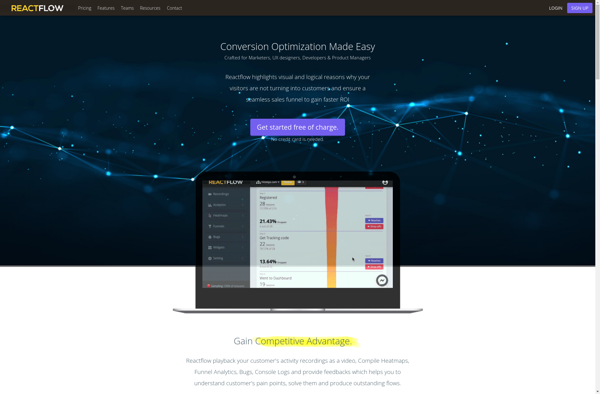
Reactflow is an open-source library for building node-based graphs and workflows in React. It provides out-of-the-box components for quickly getting started with draggable nodes, creating connections between them, zooming and panning the viewport, managing node data, and custom styling.Some key features of Reactflow include:Drag and drop nodesConnect nodes with edgesCustomizable...

Hoverowl
Hoverowl is an AI-powered research assistant designed to help students and academics be more productive when conducting literature reviews, reading academic papers, organizing sources, and writing manuscripts. It provides tools to:Import papers from various sources like Google Scholar, PubMed, arXiv, etc. Users can read, highlight, and annotate papers within Hoverowl.Extract...

SessionCam
SessionCam is a software that helps businesses understand, analyze, and improve the experience of website visitors. It captures the entire journey of website visitors through session replay, heatmaps, and powerful analytics.Key features of SessionCam include:Website visitor recording - captures clicks, taps, scrolls, and mouse movements of every visitor to replay...