Video Rotator and Flipper is a software tool that allows users to rotate, flip, and adjust the orientation of video files. It provides basic video editing capabilities for changing the perspective and direction of videos.
A software tool for rotating, flipping, and adjusting video file orientations, offering basic video editing capabilities for changing perspectives and directions.
What is Video Rotator and Flipper?
Video Rotator and Flipper is a lightweight Windows application used to rotate and flip video files without re-encoding. It supports the most common video formats like MP4, MOV, AVI and more. With an easy-to-use interface, users can quickly apply 90 degree rotation, horizontal flipping, or vertical flipping effects to video files.
This software enables adjusting the orientation of videos shot in portrait or landscape mode to fit different playback devices and editing software. For example, if a video was captured vertically on a phone, Video Rotator and Flipper can rotate it horizontally to properly display on widescreen TVs or avoid black bars in video editors.
Unlike complex video editors, Video Rotator and Flipper gets straight to video transformation functions. It performs fast modifications without quality loss since it does not re-encode media. The software also lets users batch process multiple files at once. Overall, it's a handy utility for quick video orientation adjustments.
Video Rotator and Flipper Features
Features
Rotate videos 90, 180, or 270 degrees
Flip videos horizontally or vertically
Batch processing of multiple video files
Support for common video formats (MP4, AVI, MOV, etc.)
Preview window to see changes in real-time
Simple and intuitive user interface
Pricing
Free
Freemium
Pros
Easy to use with minimal learning curve
Efficient for quickly adjusting video orientation
Supports a variety of video formats
Batch processing saves time when working with multiple files
Cons
Limited video editing capabilities beyond rotation and flipping
No advanced features like cropping, trimming, or adding effects
May not be suitable for complex video editing tasks
Avidemux is a free and open-source video editing software application designed for simple cutting, filtering and encoding tasks. It supports a wide range of video, audio and subtitle formats making it useful for basic editing work.Some key features of Avidemux include:Cross-platform support for Windows, MacOS and LinuxCapable of basic editing...
MPEG Streamclip is a versatile video conversion and editing tool for Mac and Windows. It supports converting between a wide range of video and audio codecs including MPEG-1, MPEG-2, MPEG-4, H.264, DivX, XviD, AVI, and more.Some key features of MPEG Streamclip include:Converting between various video formats and codecsEditing videos by...
Total Video Converter is a versatile video conversion and editing software for Windows. It supports converting between a wide range of video formats including AVI, MP4, WMV, MOV, MKV, FLV, 3GP, WebM and more. Some of the key features include:Ability to convert single video files as well as batch convert...
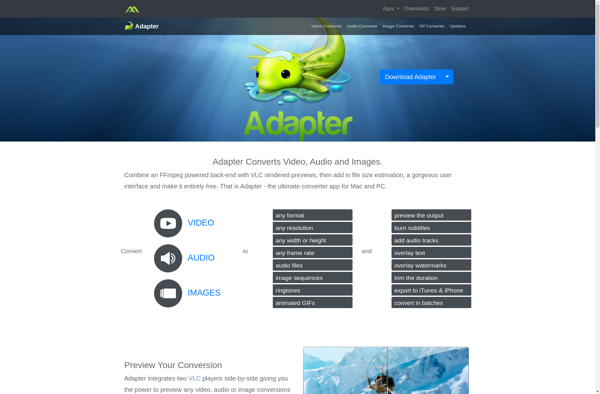
Adapter is an open-source integration platform that allows organizations to connect their legacy on-premises applications to modern cloud services. It acts as a bridge or middleware to transform and route data between different applications that would otherwise be unable to communicate with each other.Some key capabilities and benefits of Adapter...
dmMediaConverter is a free, open source video converter and audio converter software for Windows. It provides an intuitive graphical interface and rich features for converting video and audio files between various formats.Some of the key features of dmMediaConverter include:Supports a wide range of video formats including MP4, AVI, MKV, WMV,...
Free Video Flip and Rotate is a free and open-source video editing application for Windows. It provides a simple yet effective way to rotate or flip video files without having to install complex paid software.With its easy-to-use interface, you can quickly flip a video horizontally or vertically, or rotate it...
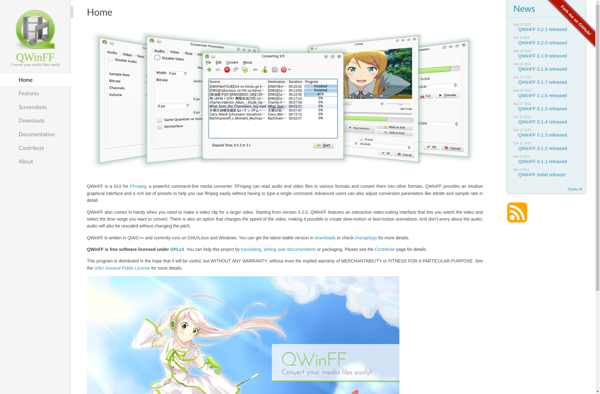
QWinFF is a free open source video converter for Windows. It provides an easy-to-use interface for converting video and audio files between various formats.Some key features of QWinFF include:Supports converting between formats like MP4, AVI, MKV, WMV, MOV, FLV as well as audio formats like MP3, AAC, AC3, OGG, WMAUses...
RotateMyVideo.net is a free web-based tool that allows users to rotate their videos by 90 or 180 degrees. It is very easy to use - users simply need to upload their video file, choose the rotation angle, and click the rotate button. The rotated video can then be downloaded to...
AppleMacSoft DRM Video Converter is a versatile video conversion application made specifically for Mac OS. It gives Mac users the ability to easily remove DRM copy protection from iTunes video purchases and rentals. This allows you to convert iTunes videos into unprotected file formats that can be played on additional...
Gihosoft Total Video Converter is a comprehensive video conversion software for Windows. It provides an all-in-one solution for converting common and HD videos between 1000+ video/audio formats including MP4, AVI, MKV, MOV, MP3, and more. With an intuitive interface and high-speed conversion, it makes video conversion simple and fast without...