BrockSoft VSAid

BrockSoft VSAid

BrockSoft VSAid is a virtualization management and monitoring tool designed to help admins efficiently manage VMware and Hyper-V environments. It provides real-time performance monitoring, capacity planning, reporting, alerting, and more.
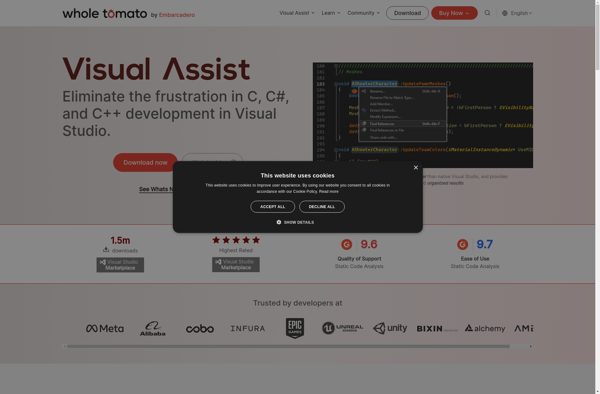
BrockSoft VSAid screenshot

BrockSoft VSAid: Virtualization Management

BrockSoft VSAid is a virtualization management and monitoring tool designed to help admins efficiently manage VMware and Hyper-V environments. It provides real-time performance monitoring, capacity planning, reporting, alerting, and more.

What is BrockSoft VSAid?

BrockSoft VSAid is a comprehensive virtualization management and monitoring solution designed specifically for VMware and Hyper-V environments. It provides admins with deep visibility and control to help streamline day-to-day virtualization management tasks.

Key features include:

  • Real-time performance monitoring of hosts, VMs, and datastores with customizable dashboards and reporting
  • Capacity planning and optimization to forecast resource needs and identify areas to optimize
  • Alerting and event management to track issues across the virtual infrastructure
  • Change tracking, anomaly detection, and root cause analysis
  • Role-based access control and delegated administration
  • Integrations with vCenter Server, SC VMM, and Windows Admin Center

BrockSoft VSAid aims to help virtualization admins gain better control over their environments, plan more effectively for the future, speed up troubleshooting, and prevent outages. With its intuitive interface and wealth of management capabilities, it serves as an invaluable virtualization management platform.

BrockSoft VSAid Features

Features

  1. Real-time performance monitoring
  2. Capacity planning
  3. Reporting
  4. Alerting

Pricing

  • Subscription-Based

Pros

Efficient VMware and Hyper-V management

Helps optimize resource utilization

Automated reporting and alerting

Cons

Limited to VMware and Hyper-V environments

Less features than competing products

Steep learning curve

Reviews & Ratings

Login to Review
No reviews yet

Be the first to share your experience with BrockSoft VSAid!

Login to Review

The Best BrockSoft VSAid Alternatives

Top System & Hardware and Virtualization and other similar apps like BrockSoft VSAid


Visual Assist X icon

Visual Assist X

Visual Assist X is a powerful extension for Visual Studio that enhances the C++ development experience with a variety of productivity features:- Advanced code navigation allows you to easily jump to any function, method, or variable declaration with just a few keystrokes. Intelligent syntax highlighting makes important symbols stand out.-...
Visual Assist X image
OzCode icon

OzCode

OzCode is a popular extension for Visual Studio that augments the built-in .NET debugger with additional capabilities to help developers debug code more efficiently. Some of the key features OzCode offers include:Enhanced data tips - OzCode shows more in-depth information about variables and complex objects while debugging, with support for...
OzCode image
VSCommands icon

VSCommands

VSCommands is a Visual Studio extension that provides developers a way to customize keyboard shortcuts, commands, and macros to optimize workflows. Some key features of VSCommands include:Create custom shortcuts for virtually any action in Visual Studio.Assign shortcuts to reusable macros for automating repetitive tasks.Share shortcut schemas across team members to...
VSCommands image
Productivity Power Tools icon

Productivity Power Tools

Productivity Power Tools is a free and open-source extension for Visual Studio published by Microsoft. It consists of a set of enhancements, tools and features that improve developer productivity in Visual Studio.Some of the key features of Productivity Power Tools include:Solution navigation enhancements like Tab Well to switch between open...
Productivity Power Tools image
TestDriven.NET icon

TestDriven.NET

TestDriven.NET is an innovative unit testing framework for .NET that integrates tightly with Visual Studio to enable efficient test-driven development. It provides a comprehensive set of features specifically designed to enhance productivity when practicing TDD.Key features include:Rapid testing - TestDriven.NET runs tests instantly on code changes. There is no need...
TestDriven.NET image
IntelliDebugger icon

IntelliDebugger

IntelliDebugger is a versatile debugging tool designed to help developers fix bugs and understand program flow more efficiently. It provides a graphical user interface for setting breakpoints, stepping through code line-by-line, and inspecting the values of variables across the whole stack.Key features include:Integration with popular IDEs like Visual Studio, Eclipse,...