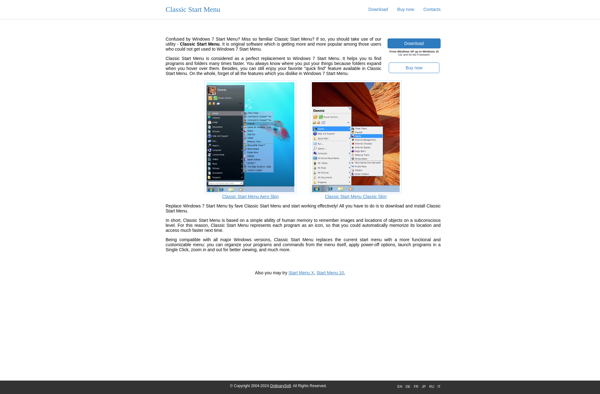
Classic Start Menu is a free program that restores the familiar Start menu interface from older versions of Windows, providing quick access to programs, documents, and settings. It allows customization of the menu style and shortcuts.
Classic Start Menu: Restore Original Windows Start Menu
Free program to restore classic Windows start menu interface for quick access to programs, documents, and settings with customizable menu style and shortcuts.
What is Classic Start Menu?
Classic Start Menu is a free, open-source program developed by Ivo Beltchev that restores the traditional Start menu interface from older versions of Windows. It brings back the familiar menu style from Windows XP, Windows 7, and earlier operating systems to newer versions of Windows that feature the full-screen Start screen.
Key features of Classic Start Menu include:
Restores a familiar Start button and menu with quick access to programs, documents, folders, and settings
Allows extensive customization of the menu including different styles (Windows 7, Windows XP, etc.), icon sizes, colors, and more
Includes additional tools like recently used programs list, pinned shortcuts, search programs, resize handles, etc.
Lightweight software with a small footprint, customizable installation
Available in portable and installable versions
Completely free and open-source
Classic Start Menu aims to provide a more efficient and intuitive Start menu experience for Windows users who prefer the old-style interface. Its customization options allow tweaking the appearance and behavior for individual preferences. As an open-source program, its code is visible and auditable for security and transparency.
Classic Start Menu Features
Features
Restores classic Start menu for Windows 7, 8, 8.1 and 10
Customizable menu style and layout
Lets you pin apps, documents, folders
Search bar for quick program access
Supports themes and skins
Option for small or full-size Start menu
Boot to desktop option
Customizable shortcuts
Pricing
Free
Pros
Familiar interface for longtime Windows users
Highly customizable
Lightweight and fast
No learning curve
Completely free with no ads or upsells
Cons
May not appeal to users who prefer the Windows 8/10 Start screen
Occasional minor bugs
Limited options compared to paid Start menu replacements
Classic Shell is a free, open-source program that restores the Start menu and other interface elements from older versions of Windows such as XP and Windows 7. It allows users to customize the interface of newer Windows versions to bring back the familiar menus, toolbars, and workflows they were accustomed...
RoundedTB is a free, open-source software application that allows Windows users to customize the appearance of their taskbar with rounded corners and transparent backgrounds. Developed by a community of designers and programmers, RoundedTB aims to enhance the Windows user experience with subtle visual tweaks.At its core, RoundedTB rounds the sharp,...
7+ Taskbar Tweaker is a powerful yet easy-to-use utility for customizing the Windows taskbar. Developed by RamenSoftware, it provides advanced configuration options that let you fine-tune the taskbar to suit your needs and preferences.With 7+ Taskbar Tweaker, you can adjust the taskbar's transparency level, allowing visibility of your wallpaper underneath....
Open Shell is a free and open-source program that replaces the Start menu and Start screen on Windows 8, 8.1, and Windows 10. It brings back the classic start menu interface from Windows XP and Windows 7, with additional features and customization options.Some of the key features of Open Shell...
StartIsBack is third-party software that restores the classic Start menu interface and other familiar Windows user interface features and functionality that were changed or removed in Windows 8 and later versions like Windows 10. It aims to provide a more traditional Windows desktop experience for users who prefer the layout...
Labrys Start menu is an open source program that replaces the default Windows start menu with an enhanced, customizable menu. It was created to boost productivity for users who rely on the Windows start menu frequently for launching programs, searching, and more.Features of Labrys Start menu include:A clean design with...
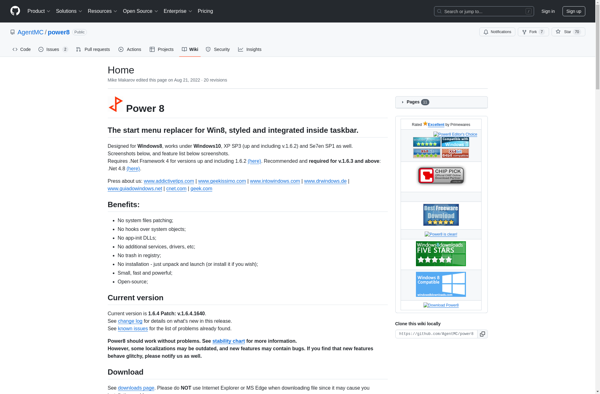
Power8 is an all-in-one customer engagement platform designed to help B2C and B2B companies drive business growth by delivering personalized experiences across every customer touchpoint.Key capabilities include:Unified Customer Profiles - Create a single view of customers by connecting data from all business systems and customer interactions.Intelligent Segmentation - Use real-time...
Handy Start Menu is a customizable replacement for the standard Windows start menu. It provides quick and easy access to installed applications, recent documents, frequently used folders, system utilities, and common commands and features.Key features of Handy Start Menu include:Customizable categories, groups, and icons for a personalized start menuSearch bar...
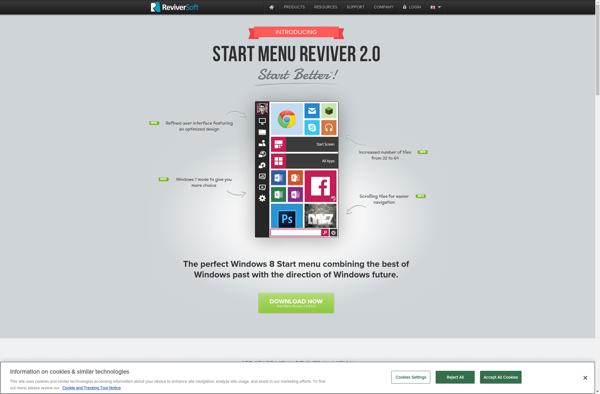
Start Menu Reviver is a lightweight program designed to help refresh and restore proper functionality of the Windows Start Menu. Some common issues it can resolve include:Missing icons or menu itemsStart Menu not opening properlyBroken layouts and formattingPerformance problems like slow response or high CPU/RAM usageIt works by scanning the...
IObit Start Menu 8 is third-party software designed to enhance and customize the Windows Start Menu. It provides additional features and customization options beyond what the default Windows Start Menu offers.Some of the key features of IObit Start Menu 8 include:Recently used programs - Quick access to recently used applications...
ViStart is an open-source visual web development platform and content management system designed to allow anyone to build professional dynamic websites and web applications, without needing to write code.With ViStart's intuitive drag-and-drop editor, users can quickly build pages, design templates, create content types, customize forms, integrate add-ons, and publish across...
TaskbarXI is a free, open-source program that significantly enhances and expands the customization options for the Windows taskbar. It gives users greater control over the taskbar's appearance, functionality, and behavior with a wide range of configuration options not natively available in Windows.Some of the key features of TaskbarXI include:Customizing the...