A document manager is software that helps organize, store, search and control access to documents like PDFs, Office files, images etc. It is used to manage an organization's documents in a central location, enabling collaboration and knowledge sharing.
What is Document Manager?
A document management system (DMS) is a specialized software application designed to help organizations efficiently create, store, organize, share, control access to and track electronic documents such as PDFs, Office files, scanned images etc. A DMS allows organizations to manage documents in a central repository and automate document-driven business processes.
Key capabilities of a DMS include:
Centralized document storage - Store all documents on a centralized server or cloud service
Access controls - Manage user access and permission levels
Version control - Track document versions and revisions
Search and retrieval - Quickly search for documents based on metadata or content
Workflow automation - Route documents for review/approval based on rules
Audit trails - Log user activity and changes to documents
Integration - Integrate with other business systems via API
Benefits of using a document management system include improved efficiency and productivity due to easy access to documents, better security and compliance, reduced storage costs by eliminating duplicates, and better collaboration across the organization. Popular DMS solutions include M-Files, OpenText, Box and Microsoft SharePoint.
Document Manager Features
Features
Document storage and organization
Version control
Access controls and permissions
Search and retrieval
Collaboration tools
Integration with other apps
OCR for scanning documents
Annotations and markup
Templates and workflows
Pricing
Subscription-Based
Pay-As-You-Go
One-time Purchase
Pros
Centralized access to documents
Improved collaboration
Enhanced security and permissions
Powerful search and retrieval
Document workflow automation
Integration with other systems
OCR for digitizing paper documents
Cons
Can be complex to set up and manage
Requires user training and adoption
Upfront costs for licensing and implementation
Ongoing costs for support and maintenance
May require integration with other systems
Collaboration features may be lacking compared to dedicated tools
GoodReader is a highly-rated PDF and document reader app for iOS devices like iPhones and iPads. It was first released in 2009 and has become one of the top choices for working with documents on iOS.Key features of GoodReader include:Full support for annotations like highlighting and drawing over PDFsRobust file...
This free and open-source office suite includes word processing, spreadsheet, presentation, and other productivity applications. It supports file formats from Microsoft Office and has most of the same features for creating and formatting documents, spreadsheets, and presentations.Some key features include:Word processor for creating formatted text documents with spell check, auto-correct,...
Oka is a free, open-source file archiver and media player application for Windows. Developed as an alternative to commercial software like WinZip and VLC media player, Oka provides user-friendly tools for compressing and extracting archives as well as playing videos.As an archiver, Oka supports creating and opening common compressed file...
FileApp is a versatile cross-platform file management and sharing application for personal and team productivity. It provides a unified interface to easily organize, search, share, and collaborate on your files whether they are stored locally, in the cloud, or across multiple devices.Key features of FileApp include:Intuitive drag-and-drop interface to quickly...
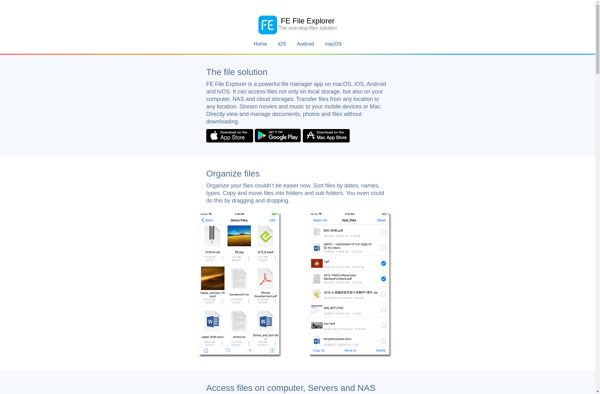
FE File Explorer is a popular free file manager and explorer application for Android. It provides a full-featured file browser allowing users to easily navigate, manage, share, and edit files and folders on their device and connected cloud storage services.Key features of FE File Explorer include:Intuitive file browser interface to...
Document Writer is a versatile yet simple word processing application used for creating various types of documents. With an intuitive and user-friendly interface, it allows users to type, format text, insert images/tables/shapes, review changes, and print professional-looking documents seamlessly.Key features include:Intuitive ribbon interface making features easily accessibleVarious text formatting options...
dDSpeedScan is a free, easy-to-use disk benchmarking software for Windows. It can be used to measure the read, write, and seek speeds for any drive connected to your computer, including internal and external hard drives, SSDs, USB drives, and more.Some key features of dDSpeedScan include:Measures sequential and random read/write speeds...
Documents Pro 7 is a full-featured office suite for Windows, offering powerful tools for document creation, collaboration, and productivity. It includes several core applications:TextMaker - An advanced word processor for writing letters, reports, books, and more. It offers extensive formatting options, review tools, template galleries, and seamless collaboration features.PlanMaker -...