Free Subtitle Player

Free Subtitle Player
Free Subtitle Player is a free, open-source media player for Windows that supports subtitles and multiple audio tracks. It plays most video and audio formats and has basic features like playlist, equalizer, subtitles management and video effects.
Free Subtitle Player screenshot

Free Subtitle Player: Free Media Player with Subtitles Support

Free Subtitle Player is a free, open-source media player for Windows that supports subtitles and multiple audio tracks. It plays most video and audio formats and has basic features like playlist, equalizer, subtitles management and video effects.

What is Free Subtitle Player?

Free Subtitle Player is a free and open-source media player application for Windows. It supports a wide range of video and audio formats including AVI, MP4, MKV, FLV, MOV, WMV, MP3, WMA, AAC, FLAC and more.

Some of the key features of Free Subtitle Player include:

  • Plays most video and audio formats without needing to install additional codecs
  • Supports subtitles in SRT, ASS, SSA and SUB formats
  • Allows loading multiple subtitle files for a video
  • Provides synchronization options for adjusting subtitle timing
  • Supports multiple audio tracks in videos
  • Includes basic media player features like playlists, equalizer, video effects, aspect ratio adjustment etc.
  • Completely free and open-source software published under GPLv3 license
  • Clean and intuitive user interface without ads or bundled software

Overall, Free Subtitle Player is an excellent option for those looking for a free media player for Windows that can play most multimedia files out-of-the-box and offers extensive subtitle support. Its open-source nature and lack of ads makes it easy to recommend over commercial media players.

Free Subtitle Player Features

Features

  1. Plays most video and audio formats
  2. Supports subtitles and multiple audio tracks
  3. Basic media player features like playlist, equalizer, subtitles management
  4. Video effects

Pricing

  • Free
  • Open Source

Pros

Free and open source

Lightweight and easy to use

Supports many formats

Allows subtitle management

Cons

Lacks some advanced features of commercial media players

Basic interface

Limited configuration options

Reviews & Ratings

Login to Review
No reviews yet

Be the first to share your experience with Free Subtitle Player!

Login to Review

The Best Free Subtitle Player Alternatives

Top Video & Movies and Media Players and other similar apps like Free Subtitle Player


Penguin Subtitle Player icon

Penguin Subtitle Player

Penguin Subtitle Player is a free, open-source cross-platform media player application designed specifically for advanced subtitle support and customization.Key features include:Support for playing videos with multiple subtitle tracks in different languages displayed simultaneouslyExtensive configuration options for subtitle styling, positioning, timing adjustment, colors, fonts, etc.Audio and video synchronization tools for adjusting...
Penguin Subtitle Player image
Greenfish Subtitle Player icon

Greenfish Subtitle Player

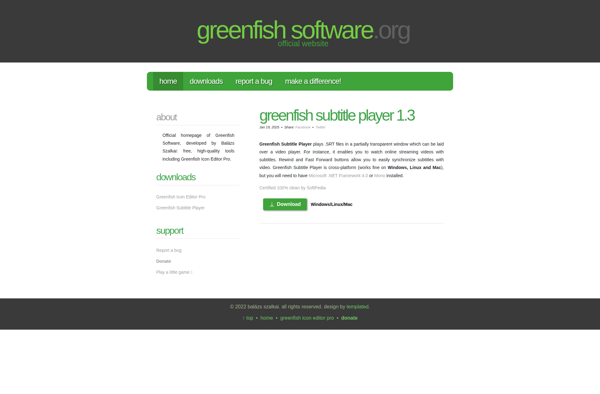
Greenfish Subtitle Player is a free, open source media player application designed specifically for advanced subtitle support. It is available for Windows and focuses on providing customizable options for displaying and styling subtitles.Some key features of Greenfish Subtitle Player include:Support for displaying subtitles in multiple languages simultaneously in synchronized mode.Precise...
Greenfish Subtitle Player image
Justsubsplayer icon

Justsubsplayer

JustSubsPlayer is an open-source, cross-platform media player application designed specifically for watching videos with subtitle tracks. It is lightweight and easy to use, while still providing advanced features for power users.Some key features of JustSubsPlayer include:Supports a wide range of video containers and codecs out of the box, including MP4,...
Justsubsplayer image
SRTPlayer icon

SRTPlayer

SRTPlayer is a free, open-source video player application designed specifically for Windows. It allows users to play video files such as AVI, MKV, MP4, and more while viewing external subtitle tracks in the popular SRT format.Some key features of SRTPlayer include:Lightweight program with a simple and intuitive interfaceSupport for many...
SRTPlayer image