Penguin Subtitle Player
Penguin Subtitle Player is a free, open-source media player focused on subtitle support. It can display subtitles in multiple languages simultaneously, has customizable styling and position options, and advanced audio/video synchronization tools.
Penguin Subtitle Player: Free Open-Source Media Player for Multilingual Subtitles
A free, open-source media player with features like simultaneous subtitle support, customizable styling, and advanced audio/video synchronization tools.
What is Penguin Subtitle Player?
Penguin Subtitle Player is a free, open-source cross-platform media player application designed specifically for advanced subtitle support and customization.
Key features include:
- Support for playing videos with multiple subtitle tracks in different languages displayed simultaneously
- Extensive configuration options for subtitle styling, positioning, timing adjustment, colors, fonts, etc.
- Audio and video synchronization tools for adjusting timing of subtitles
- Support for all major subtitle formats including SRT, ASS/SSA, and VTT
- Available on Windows, Mac, and Linux
- Customizable keyboard shortcuts
- Video zoom and pan capabilities
- And much more
Penguin Subtitle Player aims to provide the most control over the subtitle experience with synchronization tools, styling, and positioning options not available in most other media players. Its open-source nature allows ongoing community development and enhancement over time as well.
Penguin Subtitle Player Features
Features
- Supports a wide variety of subtitle formats
- Can display multiple subtitle tracks simultaneously
- Allows customization of subtitle styling and position
- Advanced audio/video synchronization tools
- Keyboard shortcuts for common playback functions
- Supports most common video and audio codecs
- Minimalist, customizable interface
- Cross-platform - works on Windows, Mac and Linux
Pricing
- Open Source
Pros
Free and open source
Powerful subtitle display and syncing capabilities
Highly customizable
Lightweight and fast
Supports many media formats
Available on all major desktop platforms
Cons
Lacks some features of more full-featured media players
Less intuitive interface than some media players
Limited support for online media and streaming
Not many extra features beyond subtitle support
Reviews & Ratings
Login to ReviewThe Best Penguin Subtitle Player Alternatives
View all Penguin Subtitle Player alternatives with detailed comparison →
Top Video & Movies and Media Players and other similar apps like Penguin Subtitle Player
Here are some alternatives to Penguin Subtitle Player:
Suggest an alternative ❐
Free Subtitle Player
Free Subtitle Player is a free and open-source media player application for Windows. It supports a wide range of video and audio formats including AVI, MP4, MKV, FLV, MOV, WMV, MP3, WMA, AAC, FLAC and more.Some of the key features of Free Subtitle Player include:Plays most video and audio formats...

Greenfish Subtitle Player
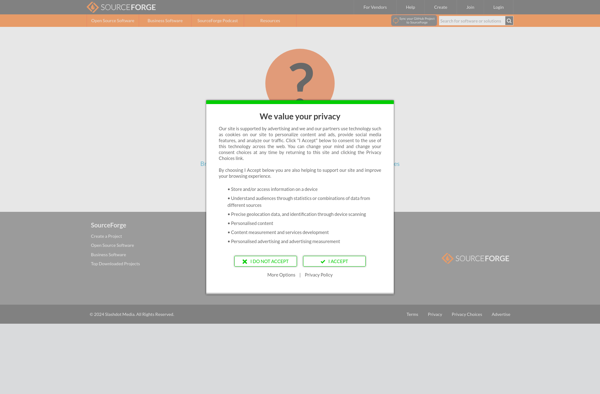
Greenfish Subtitle Player is a free, open source media player application designed specifically for advanced subtitle support. It is available for Windows and focuses on providing customizable options for displaying and styling subtitles.Some key features of Greenfish Subtitle Player include:Support for displaying subtitles in multiple languages simultaneously in synchronized mode.Precise...

Justsubsplayer
JustSubsPlayer is an open-source, cross-platform media player application designed specifically for watching videos with subtitle tracks. It is lightweight and easy to use, while still providing advanced features for power users.Some key features of JustSubsPlayer include:Supports a wide range of video containers and codecs out of the box, including MP4,...

SRTPlayer
SRTPlayer is a free, open-source video player application designed specifically for Windows. It allows users to play video files such as AVI, MKV, MP4, and more while viewing external subtitle tracks in the popular SRT format.Some key features of SRTPlayer include:Lightweight program with a simple and intuitive interfaceSupport for many...