FreeXer is a free, open-source operating system designed as an alternative to Windows and macOS. It is lightweight, customizable, and privacy-focused while still allowing you to install most Windows applications using WINE compatibility software.
FreeXer: Lightweight, Customizable, Privacy-Focused OS Alternative
FreeXer is a free, open-source operating system designed as an alternative to Windows and macOS. It is lightweight, customizable, and privacy-focused while still allowing you to install most Windows applications using WINE compatibility software.
What is FreeXer?
FreeXer is an open-source desktop operating system that was created as a free alternative to proprietary operating systems like Windows and macOS. It is designed to provide users more control over their computer, better security and privacy features, and customizability options compared to mainstream OSes.
Some key features and benefits of FreeXer include:
It has a lightweight yet visually appealing user interface designed to consume fewer system resources than Windows or macOS
Free and open source, meaning users can view and modify the source code. This promotes transparency and community contribution
Offers strong system security and user privacy controls by default, like permissions management and firewalls
Highly customizable - users have options to tweak the OS visual theme, desktop layout, system settings, etc
Compatible with most Windows software when installed with WINE compatibility layer
Available completely free of cost, including enterprise use (no license fees)
Backed by an active online community providing tech support and development
While still relatively niche compared to mainstream operating systems, FreeXer provides an appealing free alternative for Linux enthusiasts, privacy advocates, and budget-conscious consumers and enterprises. Its combination of usability, customization and WINE compatibility aims to fill the gap between proprietary OSes and Linux distributions that can have a steep learning curve.
FreeXer Features
Features
Open source and free to download
Lightweight and fast performance
Highly customizable interface and settings
Strong privacy and security focus
Package manager for installing software
WINE compatibility for running Windows apps
Supports most common hardware and devices
Active community support and documentation
Pricing
Free
Open Source
Pros
Free and open source
Very lightweight and fast
Highly customizable
Emphasis on privacy and security
Large repository of software via package manager
Ability to run many Windows apps
Great for reviving old hardware
Strong community support
Cons
Limited gaming support
Less user-friendly for beginners
Less commercial app support
May require technical expertise for setup and maintenance
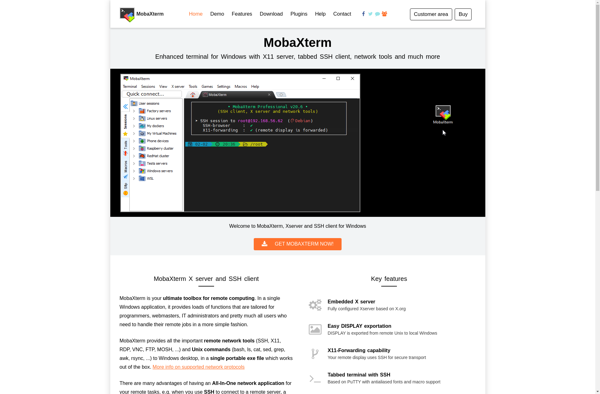
MobaXterm is a free all-in-one terminal for Windows that bundles many useful remote network tools needed by IT administrators, webmasters, developers and power users into a single portable executable.Key features of MobaXterm include:Multi-tabbed SSH client with SFTP browser and remote editing capabilitiesAll the important network tools (SSH, X11, RDP, VNC,...
Xming is a free and open-source implementation of X Window System server that runs on Microsoft Windows operating systems. It allows Windows users to run graphical Linux and Unix applications by providing display and input capabilities.Some key features of Xming include:Lightweight and fast - low memory and CPU footprint compared...
NetSarang Xmanager is a feature-rich SSH and telnet client for Windows. It provides secure remote access, administration and file transfer capabilities for IT professionals, developers, and other power users.Some key features of Xmanager include:Multi-tab terminal emulation for SSH, telnet, serial port and local command promptsSSH and telnet connectivity with support...
VcXsrv is an open-source display server for Windows that allows users to run Linux graphical applications on their Windows desktop. It works by providing an X Window System server environment that enables launching Linux apps with GUIs in Windows.Some key features of VcXsrv include:Lightweight and fast X Window System serverSupports...
Exceed is a low-code application platform that empowers businesses to develop custom web and mobile applications quickly, without needing to code. With Exceed's intuitive drag-and-drop interface, anyone can assemble full-fledged apps from pre-built, reusable components and seamlessly deploy them anywhere.Key features and capabilities of Exceed include:Drag-and-drop app builder with an...
XWinLogon is an open source replacement for the default Windows login screen. It provides a more customizable and feature-rich login experience compared to the default Windows login.Some of the key features of XWinLogon include:Customizable user interface - Allows changing background images, colors, logos, and other elements of the login screen.Supports...
X410 is an X Window System client designed specifically for Windows that allows users to seamlessly run Linux graphical user interface (GUI) applications on Windows. It works by providing an X Server that runs within Windows and translates Linux graphics into a native Windows UI.Some key features of X410 include:Launch...
X-Deep/32 PC X Server is an X Window System server designed specifically for Microsoft Windows operating systems. It enables Windows users to seamlessly run Linux and UNIX applications that require X Window System graphical user interfaces.Key features of X-Deep/32 PC X Server include:Supports running remote X applications on Windows 7,...
XLiveCD is a Linux distribution that is designed to run entirely from a CD, DVD, or USB flash drive without needing to install anything on the host computer. It boots a complete, fully functional Linux operating system from removable media and leaves no trace on the host computer when shut...