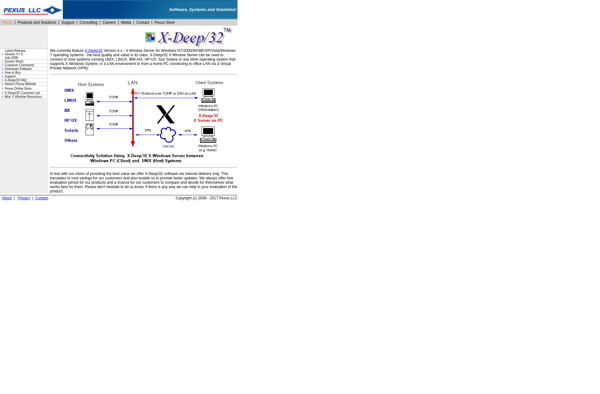
X-Deep/32 PC X Server is an X Window System server for Microsoft Windows operating systems. It allows Windows users to run Linux and UNIX applications that use the X Window System.
X-Deep/32 PC X Server: Run Linux & UNIX Apps on Windowss
An X Window System server for Microsoft Windows, allowing users to run Linux and UNIX applications on their PC.
What is X-Deep/32 PC X Server for Windows?
X-Deep/32 PC X Server is an X Window System server designed specifically for Microsoft Windows operating systems. It enables Windows users to seamlessly run Linux and UNIX applications that require X Window System graphical user interfaces.
Key features of X-Deep/32 PC X Server include:
Supports running remote X applications on Windows 7, 8, 10 and 11 desktops and servers
Includes advanced network compression and bandwidth optimization for fast graphics performance
Compatible with popular X Window managers such as Xfce, KDE and GNOME
Secure encryption options for protecting remote X connections
Advanced configuration options for customizing performance and appearance
With its mix of usability, flexibility and security, X-Deep/32 PC X Server delivers a full-featured X Window System implementation for accessing UNIX and Linux graphical applications from Windows desktops and servers.
X-Deep/32 PC X Server for Windows Features
Features
Provides an X Window System server for Microsoft Windows
Allows running Linux and UNIX X11 applications on Windows
Supports remote X11 display
Includes XDMCP server for remote logins
Supports multiple display monitors
Includes Xvnc server for VNC connections
Pricing
One-time Purchase
Pros
Enables running X11 apps natively on Windows without emulation
Good performance compared to X11 forwarding over SSH
More seamless integration than using a Linux VM
Allows access to many Unix/Linux apps not otherwise available
Can be used to display remote Linux desktops
Cons
Requires familiarity with Linux/Unix and X11
Limited support for advanced X11 features
Not all X11 apps compatible or may require tweaking
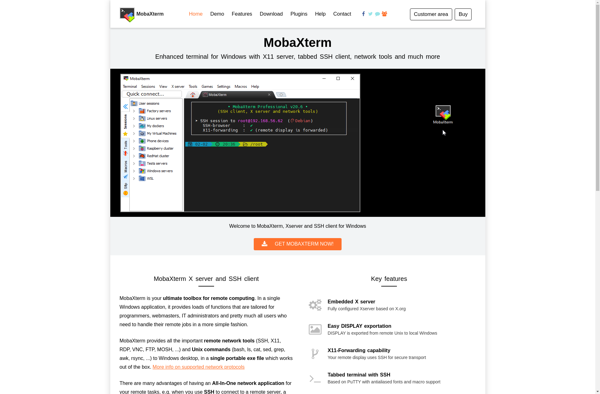
MobaXterm is a free all-in-one terminal for Windows that bundles many useful remote network tools needed by IT administrators, webmasters, developers and power users into a single portable executable.Key features of MobaXterm include:Multi-tabbed SSH client with SFTP browser and remote editing capabilitiesAll the important network tools (SSH, X11, RDP, VNC,...
Xming is a free and open-source implementation of X Window System server that runs on Microsoft Windows operating systems. It allows Windows users to run graphical Linux and Unix applications by providing display and input capabilities.Some key features of Xming include:Lightweight and fast - low memory and CPU footprint compared...
VcXsrv is an open-source display server for Windows that allows users to run Linux graphical applications on their Windows desktop. It works by providing an X Window System server environment that enables launching Linux apps with GUIs in Windows.Some key features of VcXsrv include:Lightweight and fast X Window System serverSupports...
Exceed is a low-code application platform that empowers businesses to develop custom web and mobile applications quickly, without needing to code. With Exceed's intuitive drag-and-drop interface, anyone can assemble full-fledged apps from pre-built, reusable components and seamlessly deploy them anywhere.Key features and capabilities of Exceed include:Drag-and-drop app builder with an...
X-Win32 is an open source implementation of the X Window System for Microsoft Windows operating systems. It enables running Linux and Unix applications that use X11 natively on Windows.Some key features of X-Win32 include:Supports running many Linux/Unix X11 applications on WindowsIncludes an X server, Xlib, Xtoolkits, X utilities, and CygwinAllows...
XWinLogon is an open source replacement for the default Windows login screen. It provides a more customizable and feature-rich login experience compared to the default Windows login.Some of the key features of XWinLogon include:Customizable user interface - Allows changing background images, colors, logos, and other elements of the login screen.Supports...
FreeXer is an open-source desktop operating system that was created as a free alternative to proprietary operating systems like Windows and macOS. It is designed to provide users more control over their computer, better security and privacy features, and customizability options compared to mainstream OSes.Some key features and benefits of...