KDiskMark is an open source disk benchmark tool for Linux and Windows. It allows users to measure read and write speeds of hard drives and SSDs to evaluate performance.
Measure read and write speeds of hard drives and SSDs with KDiskMark, an open source disk benchmark tool for Linux and Windows.
What is KDiskMark?
KDiskMark is an open source disk benchmark utility originally developed for Linux and later ported to Windows. It can be used to measure the read and write speeds of hard disk drives (HDDs), solid state drives (SSDs), RAID arrays, and other block storage devices.
The tool provides the ability to test both sequential and random access speeds, allowing users to simulate different types of real-world workloads. Some key features include:
Measure read/write performance in megabytes per second (MB/s) for various access patterns
Test with custom block sizes from 512 bytes up to 16 megabytes
Specify thread count to simulate multi-threaded or parallel workloads
Generate steady state measurements for long-running tests
Output detailed CSV reports for additional analysis
KDiskMark is useful for enthusiasts wanting to gauge the real-world performance of their storage drives under varying conditions. It can help identify bottleneck devices that may be limiting system performance. The tool is also commonly used in storage hardware reviews and benchmarks to provide standardized test results across devices.
KDiskMark Features
Features
Measures sequential and random read/write speeds
Supports testing internal and external drives
Provides detailed performance reports
Open source and cross-platform (Windows and Linux)
Pricing
Open Source
Pros
Lightweight and easy to use
Allows in-depth drive performance analysis
Completely free with no limitations
Actively developed and maintained
Cons
Lacks some advanced benchmarking options
User interface is basic
Requires some technical knowledge to interpret results
CrystalDiskMark is a popular disk benchmark software program for Windows. It is used to measure the sequential and random read/write speeds of storage devices like hard drives, SSDs, USB flash drives, SD cards, etc.Some key features of CrystalDiskMark:Measures sequential and random read/write speeds in MB/sTests with data block sizes from...
Blackmagic Disk Speed Test is a free disk benchmarking application for Mac OS developed by Blackmagic Design. It allows users to measure and test the read and write speeds of hard disk drives (HDDs), solid state drives (SSDs), and RAID arrays connected to a Mac computer.The software provides a simple...
FlashBench is a free, portable benchmarking software designed specifically for testing the performance of USB flash drives. It provides detailed measurement of read and write speeds, access time, and more, allowing users to accurately evaluate real-world usage for any USB stick.Key features of FlashBench include:Measures sequential and random read/write speeds...
Vdbench is an open source disk I/O workload generator and measurement tool used for benchmarking and analyzing storage system performance. It can generate I/O workloads that simulate real-world application behavior to help understand storage system capabilities.Some key features of Vdbench include:Generates standard workloads like sequentials, random reads/writesCustom workload profiles based...
Crazy DiskMark is a popular free disk benchmark utility for Windows that enables users to test and measure the read and write speeds of their storage drives. It is designed to benchmark hard disk drives (HDDs), solid state drives (SSDs), RAID configurations, and more.The tool provides a simple and easy...
AmorphousDiskMark is a free disk benchmark utility for Windows that allows measuring and comparing performance of hard drives and solid state drives. It aims to provide more accurate and representative results than other popular disk benchmark tools.The tool performs sequential and random reads/writes on the drive with varying block sizes...
AS SSD Benchmark is a popular free disk benchmark utility designed specifically to test solid state drives (SSDs). It allows users to measure the read, write, and access time performance of their SSDs to see how they compare to other drives.The benchmark runs sequential and random read/write tests using incompressible...
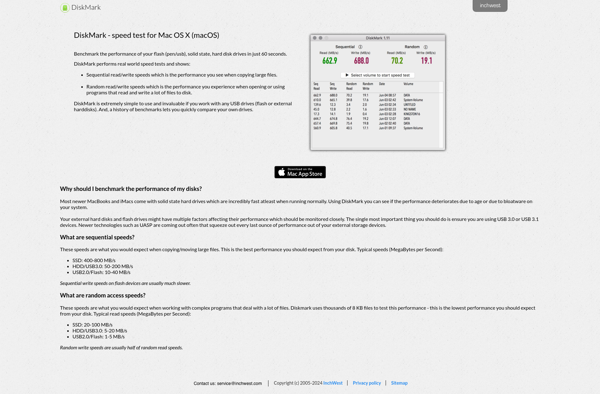
InchWest DiskMark is a popular free disk benchmark utility for Windows. It provides detailed information about your storage drives by measuring raw disk performance for both sequential and random access.With DiskMark, you can easily quantify disk read and write speeds for comparisons between hard drives, solid state drives, RAID arrays,...
Iometer is an open source disk I/O performance measurement and characterization tool for testing and evaluating storage systems. It was originally developed by Intel and is now maintained as a SourceForge project.Iometer generates I/O workloads to measure and evaluate various performance metrics of storage devices/systems like hard drives, solid state...
HD Speed is a free, easy-to-use disk benchmark software for Windows. It enables users to measure and compare the read, write, and access speeds of their hard drives and solid-state drives.With a simple and straightforward interface, HD Speed performs sequential and random speed tests on disk drives. It reports speeds...
ATTO Disk Benchmark is a free and easy-to-use disk benchmark software utility for storage devices and systems. It measures storage performance to help identify speed bottlenecks or underperforming components.Some key features of ATTO Disk Benchmark include:Measures performance of various storage devices like hard drives (HDDs), solid-state drives (SSDs), RAID arrays,...
Cross Platform Disk Test is a free disk benchmarking and testing utility that works on Windows, macOS, and Linux operating systems. It provides detailed and accurate measurements of hard drive and solid-state drive performance.The tool measures sequential and random read/write speeds in megabytes per second, allowing comparison between different drives....
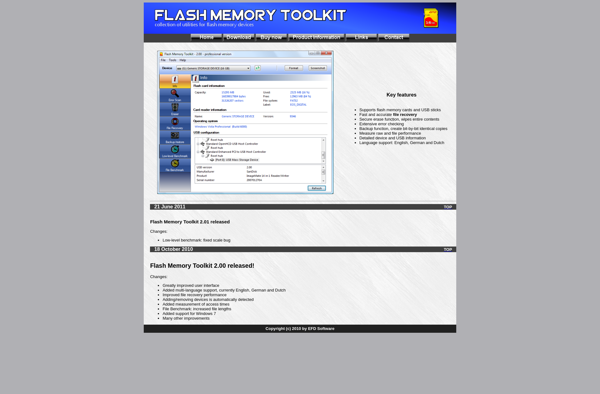
Flash Memory Toolkit is a free, open source Windows application designed for managing USB flash drives. Some of its key features include:Formatting flash drives in FAT, FAT32, exFAT, and NTFS file systemsCreating and removing partitions on flash drivesDiagnosing and repairing errors or file system corruption issuesBenchmark testing transfer speeds for...