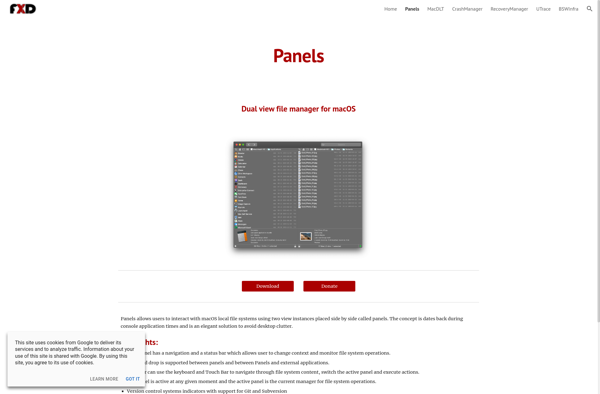
Panels is a window manager for MacOS that allows you to easily organize and access your open windows. It adds powerful window snapping and tiling functionality, as well as virtual desktops, to help you multitask and focus.
A powerful window manager for MacOS, Panels allows you to easily organize and access your open windows with features like snap-to-grid window snapping, tiling, virtual desktops, and more.
What is Panels for MacOS?
Panels is an innovative window manager for MacOS that helps users organize their open windows and applications for improved productivity and workflow. It brings window tiling and snapping functionality similar to what you'd find in operating systems like Linux or Windows.
Some of the key features of Panels include:
Window tiling and snapping - Easily tile and arrange your open windows in various layout presets using keyboard shortcuts or drag-and-drop mouse gestures.
Virtual desktops - Create separate virtual workspaces to organize groups of applications and windows based on tasks or projects.
Window previews - Get a bird's-eye view of all your open windows to easily navigate between them.
Customizable keyboard shortcuts - Set up shortcuts for window management actions to enhance your efficiency.
Application and window finder - Quickly switch between open windows or launch applications right from Panels.
With itsclean and intuitive interface, powerful window organization capabilities, and system-wide keyboard shortcuts, Panels aims to boost productivity for Mac users who need to juggle multiple windows, applications, and tasks at the same time. It brings the flexibility and convenience of advanced window management to the Mac desktop.
Panels for MacOS Features
Features
Window snapping and tiling
Virtual desktops
Keyboard shortcuts for window management
Customizable layouts and workspaces
Hotkey-based window switching
Integrated with macOS Dock and Mission Control
Pricing
Freemium
One-time Purchase
Pros
Enhances productivity and window organization
Intuitive and easy to use
Customizable to fit individual workflows
Integrates well with macOS features
Actively developed and supported
Cons
May have a learning curve for some users
Requires additional setup and configuration
Can be resource-intensive on older Macs
Limited free functionality, paid version required for advanced features
Total Commander is a highly popular and versatile file manager and file explorer for the Windows operating system. Originally released in the 1990s as Windows Commander, it was later renamed to Total Commander.Some key features of Total Commander include:Dual-pane interface to allow fast file transfers by dragging-and-dropping between panesTabbed interface...
Midnight Commander (also known as mc) is an open-source visual file manager and shell for Unix-like systems. It provides a text-based user interface that allows users to efficiently manage files and directories, copy/move/delete files, view file contents, edit files, and execute shell commands.Some key features of Midnight Commander include:Two-panel interface...
Finder is the default file manager application that comes pre-installed on all Mac computers running the MacOS operating system. It provides a graphical user interface to browse, search, access, copy, move, tag, delete and manage files and folders stored locally on the Mac hard drive or available over the network.Some...
Double Commander is an open-source, cross-platform file manager software that provides an orthodox file manager interface with two panels side-by-side, inspired by Total Commander and featuring some new ideas.It allows all the basic file operations like copy, move, delete, rename, create directory etc.Double Commander comes with multi-rename tool that enables...
Commander One is a powerful and user-friendly file manager for macOS. Developed by Eltima Software, it aims to provide Mac users with an efficient tool to handle their file systems.Some of the key features of Commander One include:Dual-pane interface for convenient file transfers and operationsTabbed browsing for quick access to...
Krusader is a twin panel (commander style) file manager for the KDE desktop environment and other *nix desktops. It is designed to provide an intuitive and efficient interface for managing files and directories, with a focus on advanced power users.Some key features of Krusader include:Twin panel interface showing two directories...
GNOME Commander is a powerful and versatile file manager for the GNOME desktop environment on Linux operating systems. It features a dual-pane interface that allows users to easily navigate directories, move files, and perform advanced management operations.Some key features of GNOME Commander include:Tabbed interface for working with multiple foldersAdvanced file...