Photogpseditor
Photogpseditor: Free Photo Editing Software
Free photo editing software for Windows, Mac and Linux with basic to advanced tools such as layers, masks, filters and effects
What is Photogpseditor?
Photogpseditor is a powerful yet easy-to-use photo editing software suitable for beginners and professionals alike. It is an open-source alternative to premium software like Adobe Photoshop.
Key features include:
- Support for layers and masks for non-destructive editing
- Hundreds of professional filters, effects and adjustment tools
- Advanced selection, retouching and transformation tools
- Support for major graphics formats like PSD, JPG, PNG, SVG etc.
- Completely customizable interface
- Available for Windows, Mac OS and Linux operating systems
- Active community support and regular updates
Whether you are a graphic designer, photographer or just a casual user looking to touch up photos, Photogpseditor has all the right tools. The clean interface and intuitive workflow allow you to enhance your images easily. With the power of masks, layers, blend modes and transformations, the creative possibilities are endless.
As an open-source software, Photogpseditor is completely free to use. It presents a powerful alternative to paid options for those on a budget.
Photogpseditor Features
Features
- Basic photo editing tools (crop, rotate, resize, etc.)
- Advanced editing features (layers, masks, filters, effects)
- Ability to geotag photos with GPS coordinates
- Support for various image formats (JPEG, PNG, TIFF, etc.)
- Cross-platform compatibility (Windows, Mac, Linux)
Pricing
- Free
- Open Source
Pros
Cons
Reviews & Ratings
Login to ReviewThe Best Photogpseditor Alternatives
View all Photogpseditor alternatives with detailed comparison →
Top Photos & Graphics and Photo Editing and other similar apps like Photogpseditor
Here are some alternatives to Photogpseditor:
Suggest an alternative ❐
GPS Map Camera: Geotag Photos

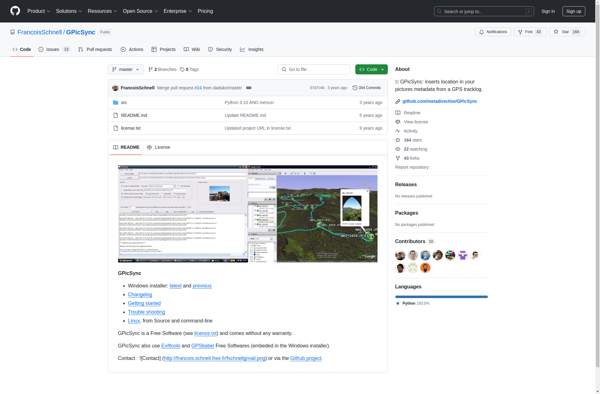
GPicSync

Geotagger
PhotoPlace