PinWin: Pin Files, Folders & Shortcuts to Windows Taskbar
Lightweight software for pinning files, folders, and shortcuts to the Windows taskbar, allowing quick access to frequently used items.
What is PinWin?
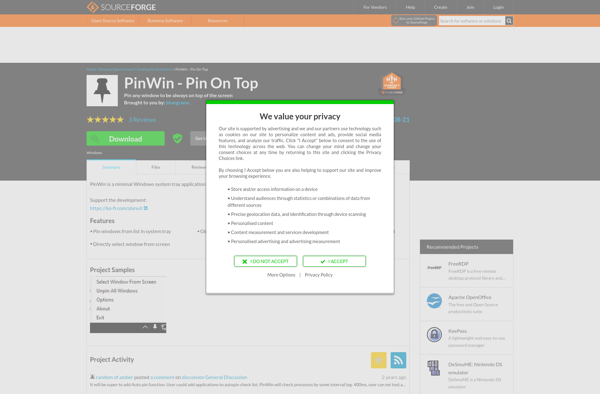
PinWin is a small utility program designed to enhance the Windows taskbar by allowing users to pin more items to it. The Windows taskbar normally only allows pinning of application shortcuts, but PinWin extends this to enable pinning files, folders, and additional shortcuts.
Some of the key features of PinWin include:
Pin any file or folder to the taskbar for one-click access
Create additional shortcuts to items like websites or documents
Customize pinned items with different icons and names
Organize pinned items into groups to reduce clutter
Access pinned items directly without having to open Windows Explorer
Lightweight program with little impact on system resources
PinWin installs quickly and doesn't require complex configuration. It runs smoothly in the background, monitoring the taskbar area. With just a right-click, you can start pinning additional items, leading to greater productivity and efficiency.
The program is perfect for power users who work with many files and folders across multiple locations. The ability to pin frequently accessed directories cuts down on navigation time. It brings more of your workspace directly to the taskbar.
PinWin Features
Features
Pin files, folders and shortcuts to taskbar
Support for pinning multiple items
Keyboard shortcuts for pinned items
Minimize pinned items to system tray
Portable version available
Pricing
Freemium
Pros
Lightweight and easy to use
Provides quick access to frequently used items
Can customize keyboard shortcuts
Does not clutter taskbar with pinned items
Cons
Limited features compared to more robust taskbar tools
DeskPins is a lightweight application for Windows that allows users to pin any application window on top of all other open windows. This enables you to keep an eye on critical apps while working on other tasks, helping to increase productivity when multitasking.Some key features of DeskPins include:Pin any window...
Afloat is a time tracking and invoicing software aimed at freelancers, consultants, agencies and other service-based businesses. Its key features include:Intuitive time tracking with the ability to start/stop timers and track time manuallyProject, task and tag management for organizing work and expensesEasy invoice creation and recurring invoicesExpense tracking with automatic...
Window On Top by Compzets.com is a handy utility program for Windows that gives you the ability to pin any application or document window so that it remains visible above all other open windows. This can be extremely useful for things like:Keeping chat or messaging windows (Skype, Slack, etc.) pinned...
WindowTop is a free, open source taskbar alternative for Windows that aims to provide a lightweight and highly customizable dock replacement. It was created due to limitations with the standard Windows taskbar and offers more flexibility in how you can organize and access open applications and windows.Some of the key...
Skybn Window On Top is a small utility program for Windows that gives users the ability to pin any application window so that it remains visible above all other open windows. This can be useful for a variety of purposes:- Keeping chat or messaging windows (e.g. Skype, Slack, etc.) pinned...
TurboTop is a free, open-source web browser developed by BrightSoft Inc. with a strong emphasis on speed, simplicity, and customizability.At its core, TurboTop is designed to load web pages faster and use up less memory than traditional feature-rich browsers. It has a minimal, clutter-free interface that gets out of the...
Stay On Top is a lightweight utility program designed to keep any application window visible at all times, even when other programs are open that would normally cover it. It works by forcibly attaching the chosen window to the desktop space instead of allowing it to get buried behind other...
Stick-It! is a software program that enables users to create virtual sticky notes on their computer desktop. It functions similarly to physical sticky notes, allowing you to jot down short reminders, to-do lists, ideas, messages and more right on your desktop.Some key features of Stick-It!:Create an unlimited number of sticky...