Restart on Crash
Restart on Crash: Small Utility for Automatic App Restarts
Automatic app restart utility, runs in background, monitors processes, restarts unresponsive apps, keeps services running 24/7.
What is Restart on Crash?
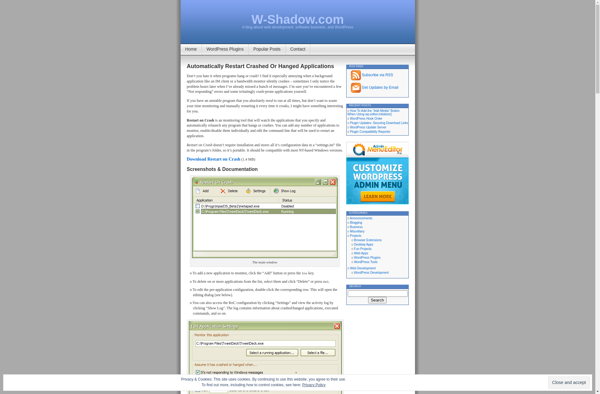
Restart on Crash is a lightweight background utility for Windows that restarts applications and services if they crash, freeze, or stop responding. It provides automatic monitoring and recovery to keep your apps and services running smoothly.
Here are some key features of Restart on Crash:
- Monitors running processes and services, restarting any that fail or freeze
- Customizable with included and excluded process lists to target monitoring
- Configurable restart delay times and failure thresholds
- Optional boot recovery to restart apps and services after system restart
- Email alert notifications when restarts are triggered
- Runs silently in the background with low CPU and RAM usage
- Free for personal and commercial use
By automatically reviving crashed apps, Restart on Crash saves you having to manually intervene, keeping your computer and workflow running 24/7 with no disruption. It's useful for monitoring business-critical software, servers, HTPC apps, Bitcoin nodes, game servers, and more.
As an alternative to commercial uptime and systems management tools, Restart on Crash provides reliable crash protection for your apps in a tiny standalone package.
Restart on Crash Features
Features
- Monitors running processes and applications
- Automatically restarts crashed or frozen applications
- Configurable restart delay
- Creates log files for crashed processes
- Lightweight and runs in the background
Pricing
- Freemium
Pros
Cons
Reviews & Ratings
Login to ReviewThe Best Restart on Crash Alternatives
View all Restart on Crash alternatives with detailed comparison →
Top Os & Utilities and System Maintenance and other similar apps like Restart on Crash
Here are some alternatives to Restart on Crash:
Suggest an alternative ❐
Restarter

ProcessAlive

RestartMe

QuickPull