Sketcher 3D is a free, open-source 3D modeling software. It allows users to create 3D models for 3D printing, computer graphics, simulations, games, and more. Key features include sketch-based modeling, extruding, sweeping, lofting, primitives, and boolean operations.
Sketcher 3D: Free Open-Source 3D Modeling Software
Sketcher 3D is a free, open-source 3D modeling software. It allows users to create 3D models for 3D printing, computer graphics, simulations, games, and more. Key features include sketch-based modeling, extruding, sweeping, lofting, primitives, and boolean operations.
What is Sketcher 3D?
Sketcher 3D is a free and open-source 3D computer graphics application focused on 3D modeling for creating printable 3D models. It features a sketch-based modeling workflow that enables users to turn 2D sketches into 3D models using operations like extrude, sweep, or loft.
Some of the key features and capabilities of Sketcher 3D include:
Intuitive sketch-based modeling workflow to easily create complex 3D models
Powerful modeling tools like extrude, sweep, loft, primitives, boolean operations, etc.
Supports export of 3D models to STL and OBJ for 3D printing
Advanced rendering engine using OpenGL to create realistic material previews
Customizable interface with light and dark color themes
Cross-platform support for Windows, Mac and Linux
Community-driven development model and open source codebase
Overall, Sketcher 3D is a great alternative 3D modeling solution for hobbyists, makers, and engineers looking to quickly create 3D models for 3D printing and computer graphics applications. The focus on ease-of-use through sketch-based modeling makes it more accessible for beginner 3D modeling users as well.
Sketcher 3D Features
Features
Sketch-based modeling
Extruding
Sweeping
Lofting
Primitives
Boolean operations
Pricing
Free
Open Source
Pros
Free and open source
Easy to use sketch-based workflow
Supports common 3D modeling operations
Active development community
Cross-platform
Cons
Limited compared to full-featured CAD programs
Less precise than parametric modelers
Steep learning curve for advanced features
Lacks advanced tools like simulations or rendering
SketchUp is a 3D modeling computer program designed for architectural, interior design, landscape architecture, civil and mechanical engineering, film and video game design. It was developed by startup company @Last Software in 1999, and acquired by Google in 2006. Google later sold SketchUp to Trimble Inc. in 2012.SketchUp stands out...
Zmodeler is a comprehensive 3D character creation software solution developed by Zmodeler Technologies. It provides a wide range of tools for building 3D character assets for applications such as animation, visual effects, video games, VR/AR, and more.Some of the key features of Zmodeler include:Sculpting brushes for detailing high-poly modelsRetopology tools...
Sketchup Automation Tools is a versatile plugin that allows Sketchup users to set up automated workflows to improve productivity. It provides a wide range of tools to streamline repetitive tasks:Batch processing tools allow processing multiple Sketchup files at once through tasks like exporting, scaling, and repairing models.The Automation Rules engine...
Assetforge is a robust yet easy-to-use digital asset management (DAM) and brand management platform designed to help marketing, creative, and brand teams organize, manage, find, and share creative digital assets like images, videos, audio files, and documents.Key features of Assetforge include:Unlimited cloud storage and bandwidth for all file typesCustom metadata...
Swift 3D is a feature-rich yet easy-to-use 3D computer graphics software for Windows. It allows users to create 3D models and animations by providing a wide range of modeling, sculpting, texturing, animation, and rendering tools.Some of the key features of Swift 3D include:Intuitive interface and workflow allowing beginners to quickly...
XYZmaker is a powerful, free, open-source 3D creation suite. It provides tools for modeling, sculpting, texturing, rigging, animation, simulation, rendering and more. XYZmaker has an easy-to-use interface that allows beginners to quickly create 3D assets while also providing sophisticated capabilities for advanced users.Key features of XYZmaker include:Polygon, subdivision surface and...
Ashampoo 3D CAD Professional is a feature-rich 3D modeling and CAD software solution for Windows. It provides a wide range of tools for designing, visualizing, and documenting 3D models for engineering and architectural purposes.With its intuitive interface and comprehensive set of modeling functions, Ashampoo 3D CAD enables users to easily...
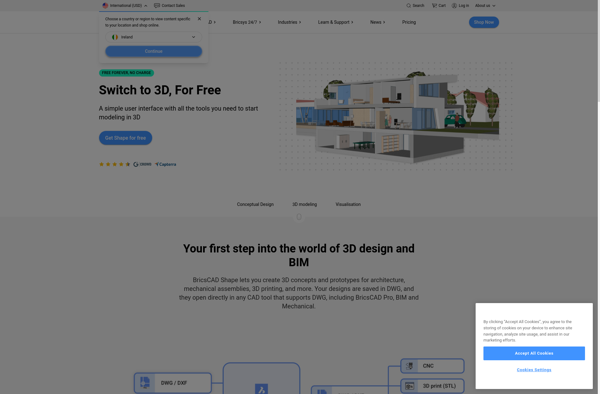
BricsCAD Shape is a free 2D CAD software application designed specifically for the creation and editing of 2D geometric shapes and contours. It is developed by Bricsys as a lightweight and easy-to-use alternative to traditional, full-featured CAD platforms for basic 2D drawing purposes.Key features of BricsCAD Shape include:- Streamlined UI...
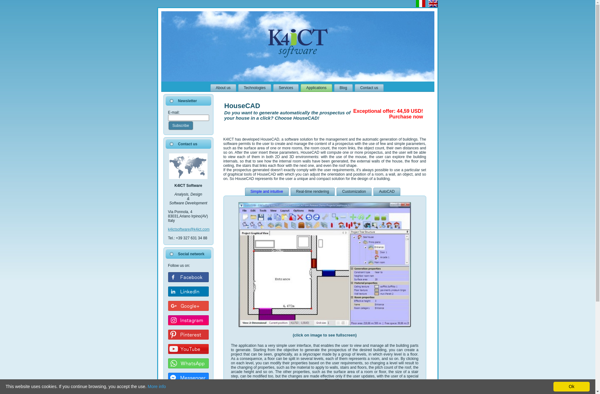
HouseCAD is an intuitive and powerful 3D home design application aimed at homeowners, builders, remodelers, architects and interior designers. With HouseCAD, you can efficiently design, visualize and share your architectural ideas in stunning 3D renderings and videos.Key features of HouseCAD include:Drag-and-drop placement of walls, doors, windows, stairs, furnishings and more...