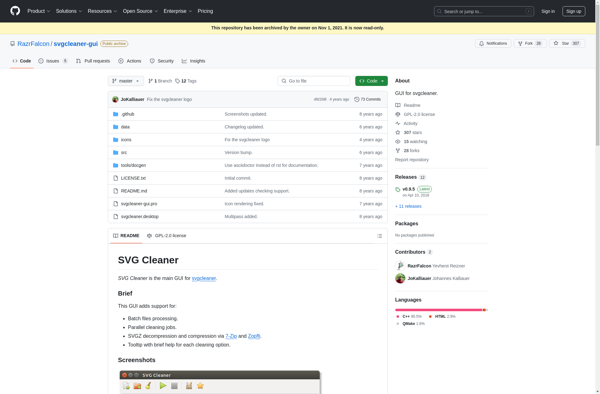
SVG Cleaner is a free web-based tool for cleaning and optimizing SVG files. It removes unused elements and attributes, minifies code, and optimizes graphics to reduce file size.
A free online tool for cleaning and optimizing SVG files, removing unused elements and attributes, minifying code, and optimizing graphics to reduce file size.
What is SVG Cleaner?
SVG Cleaner is a free online tool for optimizing Scalable Vector Graphics (SVG) files. It provides a simple drag-and-drop interface for uploading SVG files, which it then processes to remove unnecessary data and polish the code.
Specifically, SVG Cleaner removes unused style elements, empty groups, default or redundant values, comments, hidden elements, unused container elements, and unnecessary line breaks/spacing. This minification and cleanup helps reduce file size significantly without affecting appearance.
In addition to code optimization, SVG Cleaner also provides options to preprocess shapes. This includes grouping aligned shapes, merging fills/strokes, converting strokes to fills, and outline strokes. These options further optimize the SVG for smaller file size and better performance.
Key features:
Drag-and-drop upload for SVG files
Multi-step optimization process
Removal of unused elements, styles and attributes
Minification/cleanup of SVG code
Options for shape grouping/merging
Output cleaned/optimized SVG file
Completely free tool with no limits
SVG Cleaner is useful for preparing SVG files for web and app development. The reduced file size speeds up load times and the optimization can fix rendering issues in some browsers/devices. It's a simple but powerful tool for polishing SVG graphics.
SVG Cleaner Features
Features
Removes unused elements and attributes
Minifies code to reduce file size
Optimizes graphics to further reduce file size
Web-based tool for easy access and use
Supports batch processing of multiple SVG files
Pricing
Free
Pros
Free to use
Efficient at reducing SVG file size
Easy to use web-based interface
Supports batch processing for multiple files
Cons
Limited to web-based usage, no desktop application
May not offer as many advanced features as some paid tools
Inkscape is a popular vector graphics editor that provides a free and open-source alternative to commercial software like Adobe Illustrator. Developed by the Inkscape Project, it is available for multiple operating systems, including Windows, macOS, and Linux. Key Features: Vector Graphics Editing: Inkscape is specifically designed for working with vector...
SVG-Edit is a powerful open source vector graphics editor for the web. It allows users to create, view, and edit SVG graphics in any modern web browser without needing to install any additional software.With SVG-Edit, users can draw shapes, paths, and text elements, apply colors, transforms, filters, clones, and masks....
Boxy SVG is a feature-rich vector graphics editor designed specifically for working with Scalable Vector Graphics (SVG) files and graphics. It provides an easy-to-use interface and powerful tools for creating, editing, and exporting SVG images and assets.With Boxy SVG, users can quickly draw basic shapes like rectangles, circles, polygons, stars,...
Instadio is podcast creation and management software designed specifically for internal business communication. It allows organizations to easily create, manage, and distribute podcasts internally across the company.With Instadio, any employee can record a podcast episode right from their computer using simple recording and editing tools. Managers can then review and...
AutoDraw is a free web-based drawing tool developed by Google that uses machine learning to assist users in creating drawings and diagrams. It works by recognizing a user's rough doodles and sketches and then offering suggestions to refine and improve the drawings.As a user draws in AutoDraw, whether using a...
SVGViewer is a free, open-source software for working with SVG images. It can:View SVG files with support for animations and interactivityEdit SVG code and visually adjust elementsConvert SVG to various raster and vector formats like PNG, JPG, PDF, EPS, etc.Optimize SVG files by cleaning up code, minifying, reducing size, etc.Animate...
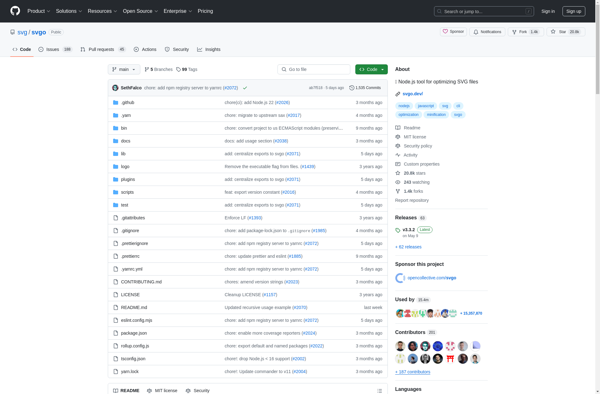
SVGO is a Node.js-based command line tool and library for optimizing Scalable Vector Graphics (SVG) files. It applies a series of automated optimizations to SVG files in order to reduce their file size without negatively impacting quality or rendering.Some of the key optimizations SVGO applies include:Removing unused namespaces, elements, and...
SVGOMG is a popular free online tool used to optimize SVG files and reduce their file size. It was created by Jake Archibald and works by removing extraneous metadata, formatting and coding from SVGs without compromising on image quality.Some key features of SVGOMG:Drastically reduces SVG file sizes by 60-80% on...
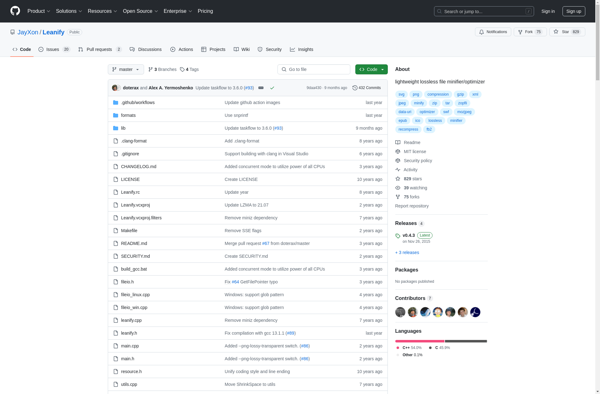
Leanify is a software that helps organizations optimize their workflows and business processes by applying lean management principles. It allows users to visually map out existing processes from end-to-end, identifying wasted steps and inefficiencies. The software provides analysis of process metrics such as cycle times, quality, and costs.Key features of...
SVGminify.com is a free online service for optimizing Scalable Vector Graphics (SVG) files. It analyzes SVG code to safely remove unnecessary data, reducing file size without affecting rendering or compatibility.Specifically, SVGminify.com removes XML comments, strips default namespace declarations, consolidates style attributes, encodes certain characters, and runs basic clean-up routines. This...