Best Mr.Shot Alternatives (23)
Looking for a Mr.Shot alternative? We've compiled the best options based on user reviews, features, and pricing to help you find the right fit.
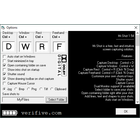
What is Mr.Shot? Mr.Shot is a free and open source screenshot tool for Windows. It provides basic screenshot capturing and editing features like adding shapes, text, and stickers. Useful for quickly annotating screenshots.
Top Alternatives to Mr.Shot




Evernote Web Clipper is a browser extension that allows users to easily clip web pages, articles, images, PDFs, and more …




Snipping Tool is a basic screenshot utility included in Windows. It allows users to capture, edit, save, and share snippets …


FastStone Capture is a powerful, lightweight, yet full-featured screen capture and screen recording program. It allows capturing anything on the …

More Similar Software












Mr.Shot Overview
Mr.Shot is a free and open source screenshot capture and image annotation tool for Windows. It provides a simple and easy-to-use interface for taking screenshots and allows adding shapes, text labels, stickers, and more to annotate images.Key features of Mr.Shot:Quickly capture fullscreen, window, or custom region screenshotsDraw shapes like arrows, lines, rectangles, circles etc on screenshotsAdd text labels and captions to describe parts of a screenshotSticker mode to add icons, emoticons, flags to annotate screenshotsBasic image editing options like crop, …
Pricing: Open Source
Quick Comparison
| Software | Pricing | Score |
|---|---|---|
| Mr.Shot | Open Source | — |
| Camtasia | Paid | 31 |
| Ksnip | Open Source | — |
| ShareX | Open Source | — |
| Evernote Web Clipper | N/A | — |
| PicPick | Free | — |
| Spectacle | Open Source | — |
| Snagit | N/A | — |
| Snipping Tool | N/A | — |
| LightShot | Free | — |
| FastStone Capture | N/A | — |
Read full Mr.Shot review → | Browse Office-Productivity software