Best Screenfetch Alternatives (22)
Looking for a Screenfetch alternative? We've compiled the best options based on user reviews, features, and pricing to help you find the right fit.
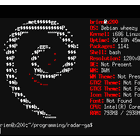
What is Screenfetch? Screenfetch is a command-line system information and ASCII logo display tool for Linux and BSD systems. It can show basic system info, distro logos and mascots in terminal.
Top Alternatives to Screenfetch

HWiNFO is a comprehensive system information and diagnostics utility for Windows that provides detailed information about computer hardware and software. …


The DirectX Diagnostic Tool is a utility that tests a computer's DirectX configuration and troubleshoots issues with graphics, sound, and …


Windows ScreenFetch
Open SourceWindows ScreenFetch is a system information and logo display tool for Windows. It shows basic system info like OS name …



Windows System Information is a built-in tool in Windows that provides detailed information about hardware, software, and components in your …

RWEverything
Open SourceRWEverything is a free, open-source utility that allows reading and writing to any memory location on a Windows system. It …
More Similar Software












Screenfetch Overview
Screenfetch is a command-line system information and ASCII logo display tool for Linux and BSD operating systems. It is used to display basic system information like operating system name and version, kernel version, CPU model and speed, amount of RAM, disk usage, and more.In addition to system info, Screenfetch is best known for displaying distribution logos and mascots made up of ASCII characters inside the terminal. This gives a visually pleasing way to show off which Linux distribution or BSD …
Pricing: Open Source
Quick Comparison
| Software | Pricing | Score |
|---|---|---|
| Screenfetch | Open Source | — |
| HWiNFO (32/64) | N/A | — |
| Sysinfo | Free | — |
| DirectX Diagnostic Tool | N/A | — |
| Speccy | Free | — |
| Windows ScreenFetch | Open Source | — |
| Neofetch | Free | — |
| linuxlogo | Open Source | — |
| Windows System Information | N/A | — |
| Archey 4 | Open Source | — |
| RWEverything | Open Source | — |
Read full Screenfetch review → | Browse Os-Utilities software