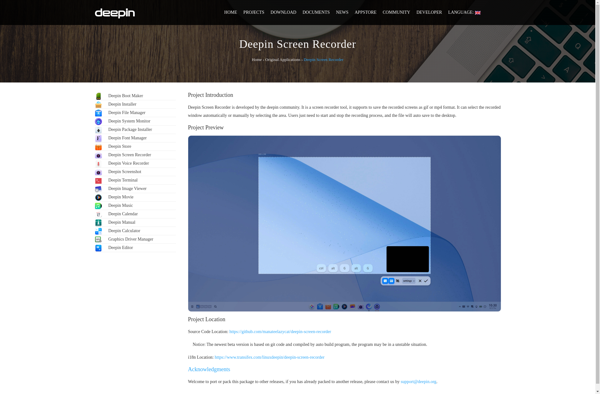
Deepin Screen Recorder is an open-source screen recording software for the Deepin Linux distribution. It allows users to easily record screen activities, audio, webcam feeds, and create animated gifs. Features include custom framerates, resolution, keyboard shortcuts, and advance
Deepin Screen Recorder: Open-Source Screen Recording Software for Deepin Linux
Deepin Screen Recorder is an open-source screen recording software for the Deepin Linux distribution. It allows users to easily record screen activities, audio, webcam feeds, and create animated gifs. Features include custom framerates, resolution, keyboard shortcuts, and advanced settings.
What is Deepin Screen Recorder?
Deepin Screen Recorder is a feature-rich, open-source screen recording application developed specifically for the Deepin Linux distribution. It enables users to capture high-quality screen recordings, audio narration from a microphone, webcam footage, and system audio.
Some of the key features of Deepin Screen Recorder include:
Intuitive and easy-to-use interface with various configurable options
Ability to set custom frame rate, resolution, output folder before starting the recording
Option to record full screen, specific window, or custom region
Real-time annotation tools to highlight important areas of the screen
Supports recording microphone audio and system audio simultaneously
Advanced settings like mouse cursor effects, countdown timer
Keyboard shortcuts for quick access to frequently used functions
Output recordings to MP4 or animated GIF formats
As Deepin Screen Recorder is designed specifically for Deepin OS, it integrates tightly with the desktop environment. The resource usage is optimized to avoid lags or performance hits while recording screen activities. Overall, it is an excellent open-source program for recording tutorials, demo videos, and capturing screen activity on Deepin Linux.
Deepin Screen Recorder Features
Features
Screen recording
Audio recording
Webcam recording
Animated GIF creation
Custom frame rates and resolution
Keyboard shortcuts
Advanced settings
Pricing
Open Source
Pros
Open-source software
Lightweight and easy to use
Supports various recording formats
Integrates well with the Deepin Linux distribution
Cons
Limited to the Deepin Linux distribution
May lack some advanced features compared to commercial screen recorders
Camtasia is a powerful screen recording and video editing app that makes it easy to create professional-looking tutorial videos, software demonstrations, video lessons, and more. It's made by TechSmith and available for both Windows and Mac.Some key features of Camtasia include:Intuitive screen recorder that captures all on-screen activity including cursor...
OBS Studio is a free and open-source software for video recording and live streaming. It's available for Windows, macOS, and Linux.Some key features of OBS Studio:Capture video and audio from various sources: your monitor, webcam, video files, games, etc.Record high-quality videos locally in various formats like MP4 and MKVLive stream...
Bandicam is a feature-rich screen recording and video capture program designed for Windows PCs. It allows you to record your computer screen, external video devices, webcam footage, and microphone audio into high-quality, lightweight video files.Some key features of Bandicam include:Lightning-fast performance with GPU-powered video encoding technology, allowing you to record...
ScreenRec is a feature-rich, open-source screen recorder and video editor for Linux systems. It is designed to be user-friendly and provide a wide range of recording and editing options for both basic and advanced use cases.With ScreenRec, users can easily record their entire desktop, specific windows or regions, webcams, and...
VokoscreenNG is an open-source screen recorder and screencasting application for Linux operating systems. It is a fork of the original Vokoscreen project and aims to add new features and improvements.Some key features and capabilities of VokoscreenNG include:Recording entire desktop or specific windows, applications, or browser tabsRecording webcam and microphone audio...
SimpleScreenRecorder is an open source screen recording application for Linux operating systems. It allows users to easily record anything on their screen along with audio input and webcam video if desired.Some key features of SimpleScreenRecorder include:Records screen activity including mouse clicks, keystrokes and menusCan record audio from microphone or system...
CamStudio is a free, open source screen recording program for Microsoft Windows. It allows you to easily record all screen and audio activity on your computer and create industry-standard AVI video files and flash videos (SWF).With CamStudio, you can quickly create video tutorials, software demonstrations, lectures, presentations and more. It's...
Action! is video editing software aimed primarily at beginner or casual video editors on Windows. It provides a straightforward and intuitive timeline-based editing interface along with a variety of video effects, transitions, titles, and audio editing capabilities.Some of the key features of Action! include:Easy drag and drop editing on the...
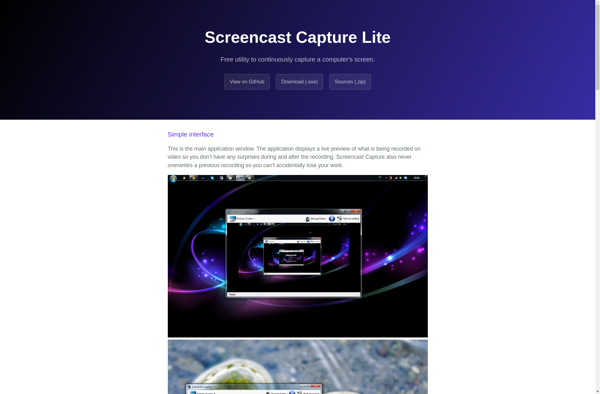
Screencast Capture Lite is a free and easy-to-use screen recorder software for Windows. It provides a simple interface for users to record all or part of their screen along with audio narration from a microphone. Some of the key features include:Record full screen, specific windows, or custom regionsDraw annotations on...
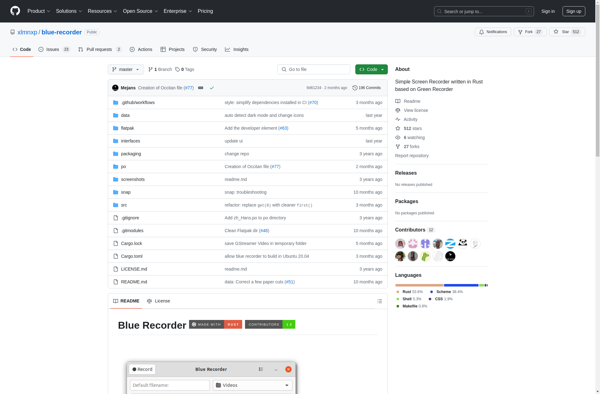
Blue Recorder is a free and open-source audio recording software for Windows. It provides an easy-to-use interface for recording audio from a microphone, system audio, or both.Some key features of Blue Recorder include:Lightweight and easy to useReal-time audio waveform previewOptions to record microphone, system audio, or bothSupport for multiple audio...