
Google TasksBoard
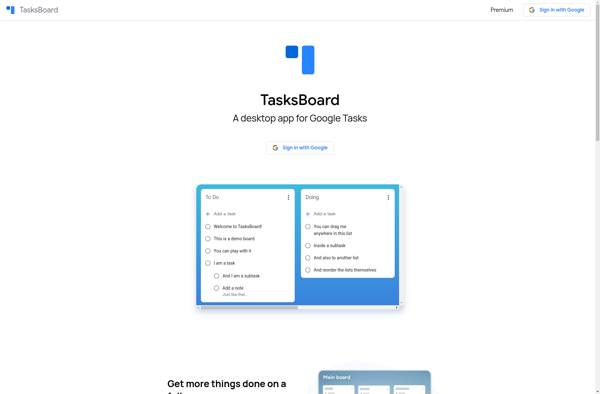
Google TasksBoard: Kanban-Style Task Management Tool
A task management tool for visualizing workflows and tracking progress on projects with a Kanban-style interface, developed by Google.
What is Google TasksBoard?
Google TasksBoard is a Kanban-style, web-based task and project management application developed and offered by Google. It provides users with Kanban boards that can be used to visualize workflows, track progress, and manage work across projects.
Key features of Google TasksBoard include:
- Custom kanban boards with columns for tracking status of work
- Tasks and subtasks with descriptions, assignments, dates, comments etc.
- Project overviews for managing deadlines and completion progress
- Filter and search capabilities to quickly find tasks
- Options for collaborating by sharing boards with other users
- Integration with other Google services like Drive, Calendar, and Gmail
- Web and mobile apps available
With its simple Kanban-style boards, Google TasksBoard aims to provide an efficient and flexible way for teams and individuals to organize projects and get work done. The tool is ideally suited for visualizing workflows, enhancing productivity, and collaborating across an organization. Its integration with other Google products makes it easy to connect TasksBoard with many of the productivity and collaboration tools people already use.
Google TasksBoard Features
Features
- Kanban-style task boards
- Task cards with title, description, members, dates, attachments
- Board filters and sorting
- Task comments and checklists
- Board templates
- Integrations with G Suite apps like Drive, Calendar, Docs
- Mobile apps for Android and iOS
Pricing
- Freemium
Pros
Cons
Official Links
Reviews & Ratings
Login to ReviewThe Best Google TasksBoard Alternatives
View all Google TasksBoard alternatives with detailed comparison →
Top Office & Productivity and Task Management and other similar apps like Google TasksBoard
No alternatives found for Google TasksBoard. Why not suggest an alternative?







