Word To HTML
Word To HTML
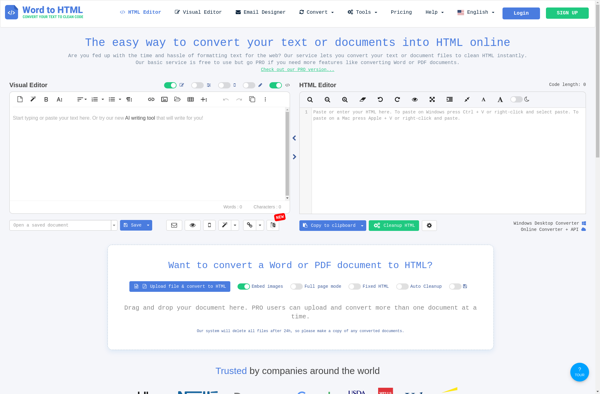
Word To HTML is a Windows software that converts Word documents into HTML files. It preserves formatting and can batch convert multiple files. Useful for publishing Word docs on the web.
What is Word To HTML?
Word To HTML is a desktop software application for Windows that allows users to easily convert Word documents into HTML files. It was created specifically to publish Word documents on the web while retaining all of the original formatting and layout.
Some key features of Word To HTML include:
- Preserves all fonts, colors, tables, images, and other Word formatting in the converted HTML
- Supports .doc and .docx Word documents
- Batches convert multiple Word files to HTML at once
- Automates linking between converted HTML files
- Generates navigation menus in output HTML
- Customize output with a variety of configuration settings
- Free trial available to test before buying
Word To HTML would be useful for anyone who needs to display Word content like reports, documents, and manuscripts on a website. Because it converts formatting accurately and allows batch processing, it saves significant time compared to manually converting Word to HTML.
Word To HTML Features
Features
- Converts Word documents to HTML
- Preserves formatting like fonts, colors, styles, tables, images
- Can batch convert multiple Word files to HTML
- Generates navigation menu for heading styles
- Customizable HTML output options
Pricing
- Free
- One-time Purchase
Pros
Cons
Official Links
Reviews & Ratings
Login to ReviewThe Best Word To HTML Alternatives
View all Word To HTML alternatives with detailed comparison →
Top Office & Productivity and Document Conversion and other similar apps like Word To HTML
Here are some alternatives to Word To HTML:
Suggest an alternative ❐
Doc Converter Pro

DocToHtml Converter