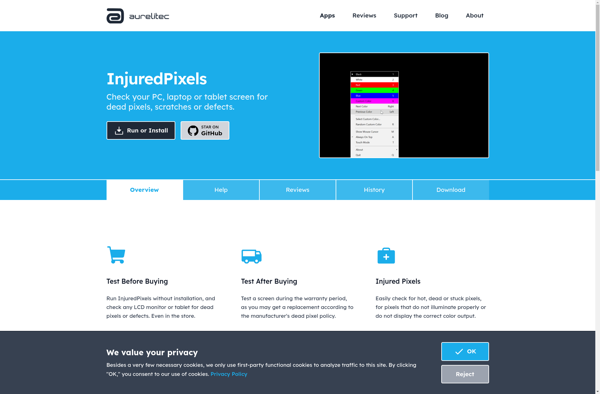
Auditor of dead pixel
Auditor of Dead Pixel: Scan Monitor Screen for Defects
Free software scans for dead or stuck pixels, displaying colors and patterns to detect pixel defects, useful before buying used monitor or laptop screen.
What is Auditor of dead pixel?
Auditor of dead pixel is a free, open source software used to detect dead or stuck pixels on LCD/LED monitors and laptop screens. It works by displaying various colored patterns and screens to check for pixel abnormalities.
When launched, the software will display flashing colors, gradients, inverted images etc. and the user has to visually inspect the screen and look for pixels that do not change color or remain black/white. By showing pure red, green, blue colors, it easy to test if a pixel is dead or stuck.
Key features:
- Simple graphical user interface with different test screens
- Portable software that can run off a USB drive
- Works on Windows, Mac and Linux
- Allows testing external monitors when connected to a laptop
- Useful for testing used monitors and laptop screens before buying
- Free and open source software
Auditor of dead pixel is handy for photographers, graphic designers and anyone who requires a display without defects. Running this software before buying a used monitor or laptop will help validate the seller's claim and avoid getting stuck with a defective screen.
Auditor of dead pixel Features
Features
- Scans monitor screen for dead or stuck pixels
- Displays different colors and patterns to detect pixel defects
- Useful for inspecting used monitors or laptop screens before purchase
Pricing
- Free
Pros
Cons
Reviews & Ratings
Login to ReviewThe Best Auditor of dead pixel Alternatives
View all Auditor of dead pixel alternatives with detailed comparison →
Top System & Hardware and Hardware Diagnostics and other similar apps like Auditor of dead pixel
Here are some alternatives to Auditor of dead pixel:
Suggest an alternative ❐
Dead Pixel Buddy


Nokia Monitor Test

Screen Tester


Dead Pixel Locator


InjuredPixels