The Windows 7 USB/DVD Download Tool is a free utility from Microsoft that allows you to create a bootable USB or DVD to install Windows 7. It downloads Windows 7 ISOs and allows you to burn them to media.
Windows 7 USB/DVD Download Tool: Create a Bootable Installation Media
The Windows 7 USB/DVD Download Tool is a free utility from Microsoft that allows you to create a bootable USB or DVD to install Windows 7. It downloads Windows 7 ISOs and allows you to burn them to media.
What is Windows 7 USB/DVD Download Tool?
The Windows 7 USB/DVD Download Tool is a free utility offered by Microsoft that enables users to create their own bootable USB drive or DVD to install Windows 7. This eliminates the need to have a physical Windows 7 install disc.
The main functions of the tool include:
Downloading the latest Windows 7 ISO files directly from Microsoft
Allowing the user to choose between the Home Premium, Professional, Ultimate, etc. editions
Burning the Windows 7 ISO to either a USB flash drive or DVD
Making the USB or DVD bootable, which allows it be used to install Windows on a computer
Automatically formatting and configuring the USB or DVD correctly for booting
Verifying the written files to ensure validity and prevent errors
The tool has an easy-to-use interface that guides users through the steps to create their Windows 7 installer media. No technical knowledge is required. It works with most common USB drives and DVD types. After creating the installer, it can be used on one or many computers to perform clean installs or upgrades of Windows 7.
Windows 7 USB/DVD Download Tool Features
Features
Download Windows 7 ISO files
Create bootable USB or DVD media for Windows 7 installation
Supports both 32-bit and 64-bit versions of Windows 7
Simple and user-friendly interface
Pricing
Free
Pros
Free to use
Official tool from Microsoft
Easy to create bootable media for Windows 7 installation
Supports both USB and DVD options
Cons
Only supports Windows 7, not newer versions of Windows
Limited functionality compared to third-party tools
Rufus is a user-friendly, lightweight, and efficient utility designed for creating bootable USB drives. It is particularly useful when installing or troubleshooting operating systems, as well as for running various tools directly from a USB flash drive. Rufus is known for its simplicity and speed in creating bootable media. Key...
DiskMaker X is a handy free utility application designed for macOS that simplifies the process of creating a bootable macOS installer on either a USB flash drive or DVD. It allows users to easily create macOS installation media from an existing macOS installation or from a macOS installer application downloaded...
Universal USB Installer is a free, open-source program for installing Linux distributions and other operating systems on USB drives from ISO files. It allows you to easily download various Linux and operating system distributions, and then create a bootable USB drive containing the installation media. Some of the key features...
WinSetupFromUSB is a free portable Windows app that allows you to easily install Windows operating systems from a bootable USB flash drive. It can download Windows ISO files automatically and prepare your USB drive to be bootable for installing Windows.Some key features of WinSetupFromUSB:Supports creating bootable USB drives for installing...
WinToFlash is a free software utility designed to help users create bootable USB drives from Windows installation media like ISO files. It provides an easy way to install or reinstall Windows without needing CDs or DVDs.Some of the key features of WinToFlash include:Supports creating a bootable USB from a Windows...
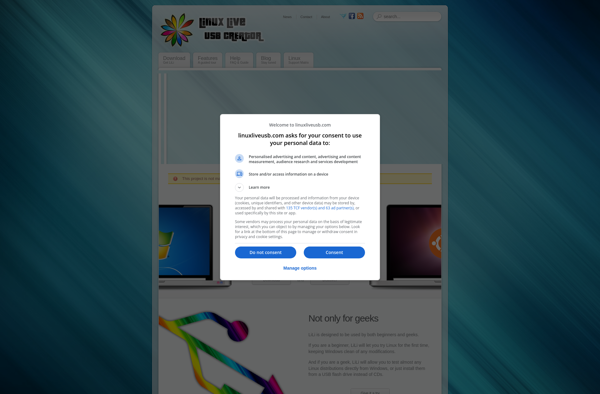
LinuxLive USB Creator is a free, open source application for Windows that provides an easy way to create bootable, portable Linux USB drives from ISO files. It can take a Linux distribution ISO file and deploy it onto a USB flash drive, allowing you to boot and run that Linux...
WINToBootic is a lightweight yet powerful Windows USB/DVD tool that allows you to create a bootable USB drive or DVD from a Windows ISO file with just a few clicks. It works with almost all versions of Windows including Windows 11, Windows 10, Windows 8.1, Windows 8, Windows 7, Windows...
XBoot is a lightweight Linux distribution that is designed for system rescue and data recovery operations. It boots from a CD or USB drive and includes a range of built-in tools and utilities to help fix issues, repair damaged systems, and recover lost data.Some of the key features of XBoot...
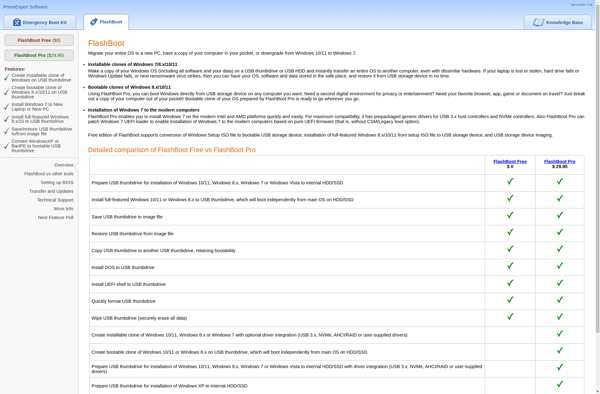
FlashBoot is an open-source bootloader targeted at embedded systems that boot Linux directly from flash memory chips. It is designed to be small and simple, making it well-suited for resource-constrained devices.Some key capabilities and features of FlashBoot include:Supports loading and booting Linux kernels from RAW NAND or NOR flash devicesSmall...
USBWriter is free, open source software for writing .iso and .img files to USB drives on Windows, macOS, and Linux. It provides an easy-to-use graphical user interface for selecting an OS installer image or other disk image file, choosing the target USB drive, and writing the image onto the drive...
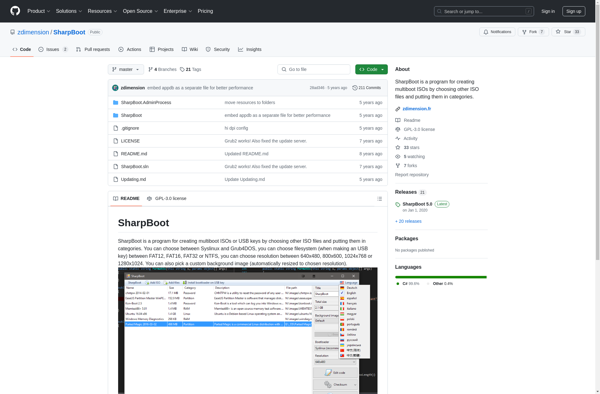
SharpBoot is an open-source bootloader and kernel designed as an alternative to proprietary BIOS/UEFI firmware. It runs on x86-based PCs and provides a fast, lightweight, and customizable boot environment.Some key features of SharpBoot include:Support for modern hardware like UEFI, ACPI, AHCI, and NVMeA minimal microkernel that handles hardware initialization and...
WinUSB Maker Tool is a free, open source utility created by Pavel Yosifovich that enables easy installation of USB devices on Windows operating systems. It works by generating INF files and driver packages that provide the necessary drivers and configurations to allow communication between the USB device and Windows.Rather than...