ZIPcrypt

ZIPcrypt

ZIPcrypt is a free, open source file encryption software for Windows. It allows encrypting files and folders into standard ZIP files protected by passwords and strong encryption algorithms like AES-256 and Blowfish.

ZipCrypt: Free File Encryption for Windows

Free, open source file encryption software with password protection and strong encryption algorithms

What is ZIPcrypt?

ZIPcrypt is a free and open source file encryption software for Windows. It provides an easy way to encrypt files and folders into standard ZIP archives protected by passwords and strong encryption like AES-256 or Blowfish.

Some key features of ZIPcrypt include:

  • Drag-and-drop encryption of files/folders into password protected ZIP archives
  • Support for AES-256, Blowfish and other algorithms for strong encryption
  • Portable version available that doesn't require installation
  • Integration with Windows Explorer context menu for right-click encryption
  • Batch encryption processing for encrypting multiple files and folders
  • Decryption of ZIPcrypt archives require the correct password
  • Open source software published under GNU GPL v2 license

ZIPcrypt allows securely sharing and storing sensitive personal files like financial documents or backups using password protected encrypted ZIP archives with small overhead compared to plain ZIP compression. The AES-256 and Blowfish encryption ensures the contents cannot be accessed without the password even if the archive is stolen. Overall, it provides a simple way for Windows users to encrypt their private files.

ZIPcrypt Features

Features

  1. Encrypts files and folders into standard ZIP files
  2. Uses strong encryption algorithms like AES-256 and Blowfish
  3. Open source software available for Windows
  4. Protects ZIP files with passwords
  5. Free to use with no restrictions

Pricing

  • Free
  • Open Source

Pros

Powerful encryption protects sensitive data

Easy to use interface for encrypting files

Works across Windows versions

Free with no limits on usage

Open source for transparency and community support

Cons

Windows only, no Mac or Linux support

Lacks cloud sync or storage features

No mobile app versions available

Limited to ZIP archive encryption only

Reviews & Ratings

Login to Review
3.7

25 reviews

Rating Breakdown
Ease of Use
3.4
Features
3.9
Value for Money
4.8
Customer Support
2.3
Overall Experience
3.6
Recent Reviews
lmiller6896
Lisa Miller
Apr 15, 2026
Simple, Powerful, and Free Encryption for ZIP Files

ZIPcrypt solves a very specific need perfectly. I use it to secure sensitive documents before sending them via email, and it's incredibly simple to use—just right-click, set a password with AES-256, and you're done. As an open-source tool, it's trustworthy …

L
Liam Taylor
Apr 15, 2026
Perfect for secure, everyday archiving

ZIPcrypt is exactly what I needed for adding a layer of security to my sensitive documents. It's incredibly straightforward to use, letting me create password-protected archives with strong AES-256 encryption in just a few clicks. The fact that it outputs …

E
Emma Davis
Apr 14, 2026
Essential free encryption for everyday use

ZIPcrypt does exactly what it promises: lets me easily create password-protected ZIP files with strong AES-256 encryption. The interface is straightforward, and I appreciate that it creates standard ZIPs anyone can open with the right password. Being free and open …

S
Sarah Wright
Apr 11, 2026
Simple and secure encryption for everyday use

ZIPcrypt does exactly what I need without any fuss. I regularly use it to encrypt sensitive documents before emailing them, and the fact it creates standard ZIP files means recipients can open them with any standard archiver. The interface is …

liamweb931
Liam Lee
Apr 11, 2026
Powerful but clunky encryption tool

ZIPcrypt gets the job done with strong AES-256 encryption and creates standard ZIP files that are widely compatible. However, the interface feels outdated and clunky compared to modern alternatives, making simple tasks more complicated than they need to be. It's …

Rating Distribution
5
11
4
3
3
6
2
5
1
0

The Best ZIPcrypt Alternatives

View all ZIPcrypt alternatives with detailed comparison →

Top Security & Privacy and Encryption and other similar apps like ZIPcrypt


The Unarchiver icon

The Unarchiver

The Unarchiver is a free and open source file archiver utility for Mac OS X that allows users to open and extract files from common archive and compression formats including ZIP, RAR, 7z, tar, gzip, bzip2, LZH, StuffIt and many others. It provides an easy drag-and-drop interface to decompress archived...
The Unarchiver image
7-Zip icon

7-Zip

7-Zip is a powerful and free file archiver and compressor for Windows, Linux and macOS. It has very high compression ratios compared to other popular archivers like WinRAR and WinZIP, sometimes reducing files by up to 80%.7-Zip supports most common archive formats including ZIP, GZIP, BZIP2, TAR, 7z, ARJ, CAB,...
7-Zip image
PeaZip icon

PeaZip

PeaZip is a popular open source file archiver and file manager application available for Windows, Linux, and macOS operating systems. Developed with portability and security in mind, PeaZip supports over 200 file formats including ZIP, 7Z, RAR, ARJ, and TAR. It can create encrypted archives using AES-256 bit encryption to...
PeaZip image
Keka icon

Keka

Keka is a free and open source file archiver software for macOS. Originally inspired by 7-Zip for Windows, Keka aims to bring file archiving capabilities to macOS with an emphasis on simplicity and ease of use.Some key features of Keka include:Supports popular archive formats like 7Z, Zip, Tar, Gzip, Rar...
Keka image
Bandizip icon

Bandizip

Bandizip is a free file archiver and compressor software for Windows. Developed by Bandisoft, it aims to be a fast, lightweight, and easy-to-use alternative to other archive managers.Bandizip supports all common archive formats including ZIP, RAR, 7z, ISO, CAB, TAR, and more. It utilizes multiple compression engines like ZIP, 7z,...
Bandizip image
WinZip icon

WinZip

WinZip is one of the most widely used file archiver and compressor programs for Windows. First released in 1991, WinZip pioneered the concept of zip files, which allows users to compress one or more files into a single compressed archive that takes up less storage space and is easier to...
WinZip image
NanaZip icon

NanaZip

NanaZip is a free, open source file archiving and compression software for Windows. It provides an intuitive and easy to use interface for handling ZIP, 7Z, RAR, LHA, ISO and other common archive formats.Some of the key features of NanaZip include:Support for creating and extracting a wide variety of archive...
NanaZip image
WinRAR icon

WinRAR

WinRAR is a proprietary file archiver and data compression utility for Windows. First released in 1995, WinRAR quickly became one of the most popular tools for compressing and decompressing files on PCs.Key features of WinRAR include:Supports RAR and ZIP archives for compressing and storing files in smaller sized containersOffers multiple...
WinRAR image
TrueCrypt icon

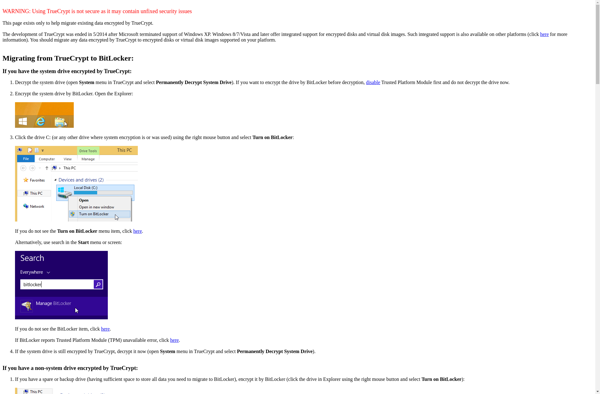
TrueCrypt

TrueCrypt is a discontinued source-available freeware utility used for on-the-fly encryption (OTFE). It can create a virtual encrypted disk within a file or encrypt a partition or an entire hard drive. First released in 2004, TrueCrypt was initially based on Encrypting File System (EFS) code in Windows 2000, but completely...
TrueCrypt image
Cryptomator icon

Cryptomator

Cryptomator is a free, open-source client-side encryption software used to securely store files in the cloud. It works by creating an encrypted vault on your device that gets synced with your cloud storage provider.Some key features of Cryptomator include:Encrypts files client-side before uploading them to the cloudUses AES-256 and HMAC-SHA256...
Cryptomator image
Axcrypt icon

Axcrypt

Axcrypt is a free and open source file encryption software that allows Windows, Mac, and Linux users to easily encrypt files and folders to protect sensitive information. It uses strong 256-bit Advanced Encryption Standard (AES) encryption to secure files, which meets the top encryption standards set by the US government.Some...
Axcrypt image
AES Crypt icon

AES Crypt

AES Crypt is a free, open-source, and cross-platform encryption software that uses the industry-standard Advanced Encryption Standard (AES) to securely encrypt files. It has an intuitive graphical user interface that allows users to easily encrypt their files by selecting them, choosing a password, and clicking encrypt.Some key features of AES...
AES Crypt image
GnuPG icon

GnuPG

GnuPG (GNU Privacy Guard) is a free and open source implementation of the OpenPGP standard. It provides end-to-end encryption for securing data like emails, files, directories and disk partitions. It helps protect communications and data from unauthorized access and modification.Some key features of GnuPG include:Hybrid encryption using public/private key pairsSupport...
GnuPG image