Best DirectX Diagnostic Tool Alternatives (21)
Looking for a DirectX Diagnostic Tool alternative? We've compiled the best options based on user reviews, features, and pricing to help you find the right fit.
What is DirectX Diagnostic Tool? The DirectX Diagnostic Tool is a utility that tests a computer's DirectX configuration and troubleshoots issues with graphics, sound, and input. It displays information about the versions of DirectX components and drivers installed and checks for potential problems.

Top Alternatives to DirectX Diagnostic Tool
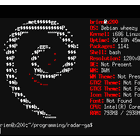
Screenfetch
Open SourceScreenfetch is a command-line system information and ASCII logo display tool for Linux and BSD systems. It can show basic …

HWiNFO is a comprehensive system information and diagnostics utility for Windows that provides detailed information about computer hardware and software. …





Fresh Diagnose
FreeFresh Diagnose is a Windows-based diagnostic tool for PCs. It checks hardware, software and performance issues in around 60 seconds, …


More Similar Software












DirectX Diagnostic Tool Overview
The DirectX Diagnostic Tool (DxDiag) is a Windows utility that gives detailed information about the DirectX components and drivers installed on a computer. It is used to troubleshoot issues related to graphics, sound, and input in games and applications that utilize DirectX.When launched, DxDiag displays the versions of DirectX and its components like Direct3D and DirectInput that are installed. It shows the graphics, sound, and input devices on the system and the drivers associated with them. Users can also view …
Quick Comparison
| Software | Pricing | Score |
|---|---|---|
| DirectX Diagnostic Tool | N/A | — |
| Screenfetch | Open Source | — |
| HWiNFO (32/64) | N/A | — |
| lshw | Open Source | — |
| Speccy | Free | — |
| AIDA64 | N/A | — |
| Neofetch | Free | — |
| Fresh Diagnose | Free | — |
| PC Wizard | N/A | — |
| Hardinfo | Open Source | — |
Read full DirectX Diagnostic Tool review → | Browse Gaming-Software software