
Right Click Enhancer
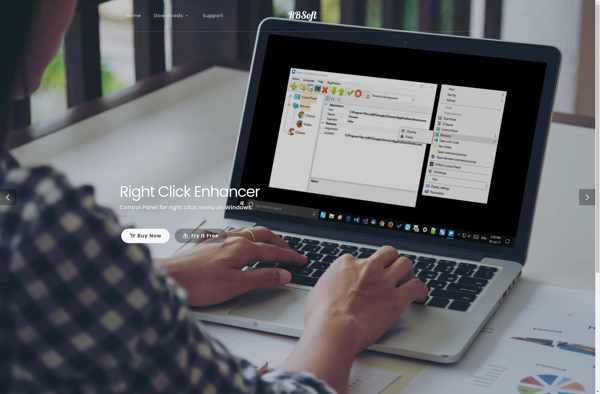
Right Click Enhancer: Customize Your Windows Context Menu
Right Click Enhancer is a free program that enhances the right-click context menu in Windows. It allows you to add custom shortcuts, options, and tools to simplify common tasks.
What is Right Click Enhancer?
Right Click Enhancer is a free utility program for Windows that enhances and expands the right-click context menu. It allows users to customize the menu by adding new shortcuts, tools, options and performing various system tasks quickly.
Some of the key features of Right Click Enhancer include:
- Ability to create custom sub-menus and add shortcuts to programs, files, folders etc.
- Options to open command prompt, powershell, task manager directly from right click menu
- Tools to quickly search the web, Wikipedia, YouTube for selected text
- Actions like send to printer, zip/unzip files, edit images etc.
- Favorite tools to access frequently used programs and tasks
- Full customization and flexibility to tailor the menu as per needs
Right Click Enhancer helps speed up common desktop functions that normally require multiple clicks or navigation by putting customizable shortcuts in the right click menu. It enhances productivity by saving time and effort while working with files or applications in Windows.
Right Click Enhancer Features
Features
- Adds custom shortcuts and tools to the right-click context menu
- Lets you create menu items to open files/folders, run programs, insert text, etc.
- Supports macro recording to automate sequences of actions
- Includes variety of built-in tools like file renamer, text case converters, hash generators, etc.
Pricing
- Free
Pros
Cons
Official Links
Reviews & Ratings
Login to ReviewThe Best Right Click Enhancer Alternatives
View all Right Click Enhancer alternatives with detailed comparison →
Top Os & Utilities and System Utilities and other similar apps like Right Click Enhancer

Easy Context Menu

ShellExView

Fast Explorer

Ultimate Windows Context Menu Customizer

ContextEdit

MenuMaid

Context Menu Editor

Right-Click Extender

Lammer Context Menu

CFi ShellToys

ShellMenuView