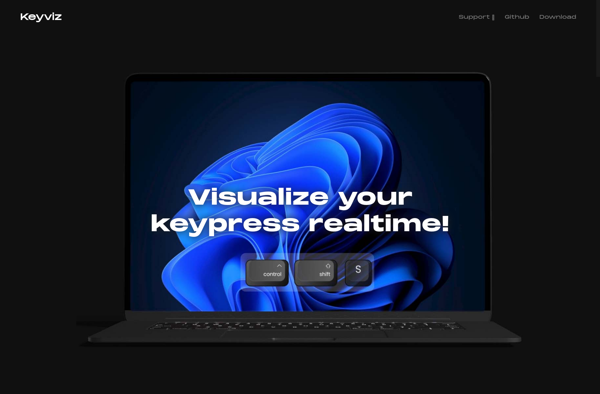
Keyviz is a keyboard shortcut visualization software. It displays shortcuts for various applications visually on an on-screen keyboard. Users can easily see which keyboard shortcuts are available and memorize them more easily.
Discover Keyviz, a powerful keyboard shortcut visualization software, displaying shortcuts visually on an on-screen keyboard for easy memorization and application navigation.
What is Keyviz?
Keyviz is a software designed to help users learn and memorize keyboard shortcuts visually. It displays an on-screen keyboard with the available shortcuts for various applications like Photoshop, Blender, AutoCAD etc. overlaid on the keys.
This visual representation makes it easy for users to see at a glance which keyboard shortcuts are available for the software they use. As shortcuts are displayed right on the relevant keys, it helps in reinforcing the visual memory and allows for quick recall.
Some key features of Keyviz:
Displays shortcuts for over 100 major software applications like MS Office, Chrome, Gimp, Eclipse etc.
Interactive on-screen keyboard updates in real-time as you switch between applications
Fully customizable with options to hide/show keys, change keyboard layouts etc.
Test mode to practice shortcuts where keys highlight when pressed
Shows recently used shortcuts, most popular shortcuts etc.
By displaying shortcuts visually and interactively over the keyboard, Keyviz helps users learn, memorize and be more efficient with keyboard shortcuts for various productivity tools and creative suites.
Keyviz Features
Features
Visualizes keyboard shortcuts for various applications
Displays shortcuts on an on-screen keyboard
Helps users memorize and learn keyboard shortcuts
Supports multiple languages and keyboard layouts
Customizable UI and keyboard appearance
Pricing
Free
Freemium
One-time Purchase
Pros
Improves productivity by making keyboard shortcuts more accessible
Enhances learning and retention of shortcuts
Supports a wide range of applications
Customizable to fit user preferences
Cons
May require additional screen space on the user's desktop
Limited to keyboard shortcuts and does not cover all application features
May not be necessary for users who are already familiar with keyboard shortcuts
Screenkey is an open source, on-screen keyboard program that displays key presses in real time. It was created to aid in presentation and tutorial situations where showing keyboard input visually can help the audience follow along.Some key features of Screenkey include:Displays key presses on the screen as they happen, including...
Carnac is a free and open-source software tool developed for live broadcasting and presentation purposes. It displays the speaker's upcoming words as subtitles during live streams and presentations to help engage the audience.The core feature of Carnac is that it analyzes the speaker's audio feed in real-time to predict the...
KeyCastr is an open-source software application developed for macOS that provides real-time visual feedback for keystrokes. It highlights keys on the keyboard as they are pressed, helping to reinforce muscle memory and improve typing accuracy and speed.Some of the main features of KeyCastr include:Displays key presses on screen as you...
QiPress is an open source alternative to WordPress that focuses on speed, simplicity, and customizability. Developed since 2020, QiPress aims to provide many of the same features as WordPress but with reduced bloat and faster page loading times.As an open source project, QiPress can be customized and extended as needed....
Keystroke Pro is a powerful productivity software that allows users to automate repetitive and time-consuming tasks by creating custom keyboard shortcuts and hotkeys. It works across all applications and enables you to trigger macros, insert text, open files or programs, and more with just a few keystrokes.Some of the key...
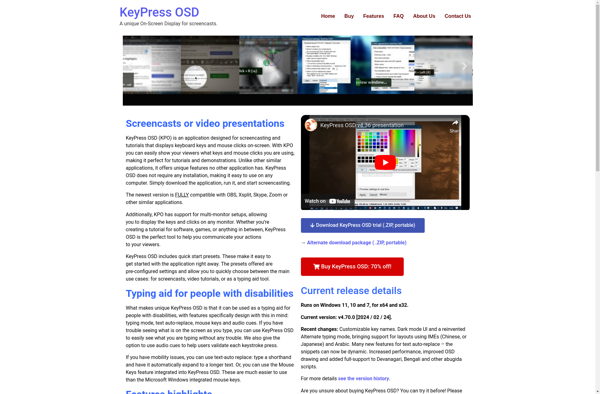
KeyPress OSD is a free, open-source on-screen display utility for Windows that shows keyboard and mouse button presses on the screen. It was created by Codeplex user extratorrent originally as KeyLogger OSD, but has been renamed to avoid confusion with actual keylogger software.Some of the features of KeyPress OSD include:Displays...
Mouseposé is a user-friendly mouse macro automation software for Windows. It gives you the ability to automate repetitive or tedious mouse and keyboard tasks by recording and replaying macros.With an easy-to-use interface, you can quickly record sequences of mouse movements, clicks, keystrokes and save them for later use. The macros...
KeyPosé is a powerful yet easy-to-use keyboard macro automation software for Windows. It gives users the ability to automate repetitive and time-consuming tasks, allowing more time for creative and meaningful work.With KeyPosé, users can record keyboard macros and mouse actions, then replay them as needed with a simple hotkey press...
YAKD is an open-source knowledge management and collaboration software designed for teams and organizations. At its core, it acts as a central repository for documents, webpages, and other digital content that can be organized, searched, and shared.Some of the key features of YAKD include:Customizable databases for organizing content such as...
Kling is a free and open-source office suite that provides alternatives to many Microsoft Office applications. It includes a word processor, spreadsheet program, presentation software, and more.The word processor in Kling, called Kling Writer, provides similar functionality to Microsoft Word. It allows users to create, format, edit, save, and print...
KeyCastOW is an open-source and free macro and key remapping software designed for gamers. It allows users to create powerful macros and remap keys to optimize and customize their gameplay.With KeyCastOW, users can:Bind multiple commands or actions to a single key press or mouse clickCreate automated macro sequences to execute...
MouseShade is a freeware application for Windows that provides a subtle spotlight effect around your mouse cursor to enhance focus while working. It darkens the rest of your screen so your eyes are drawn to the area where you're actively working with your mouse.With adjustable hotkeys and customizable opacity controls,...